

How to Calculate Days Between Two Dates
Ever stared at a calendar trying to count how many days you have left before a deadline and lost track halfway through? This guide walks you through how to calculate days between dates correctly, what mistakes to watch for, and when it makes sense to let a tool handle it.
Quick Answer: How to Calculate Days Between Two Dates
If you just need the number fast, here is the short version:
- Pick your start date.
- Pick your end date.
- Decide whether you are counting the end date or not.
- Count the full calendar days in between.
Need the result right now? Use TimerStart's date calculator - enter your two dates and it gives you the answer instantly.
What Days Between Dates Actually Means
At its core, the days between two dates is just the gap: how many full calendar days sit between your start point and your end point.
Say you want to know the difference between June 1 and June 10. Most people would say that is 9 days. And in most situations, they would be right. But depending on whether you count June 1 itself, or whether June 10 counts as a full day, the answer can shift.
That is where people get confused. The math is not hard. The counting rules are what trip you up.
How to Calculate Days Between Two Dates Manually
If you want to work it out yourself, here is a straightforward approach:
For dates in the same month: Subtract the start day number from the end day number. Example: June 10 minus June 1 = 9 days.
For dates across different months: Count the remaining days in the start month, add the full months in between, then add the days in the end month.
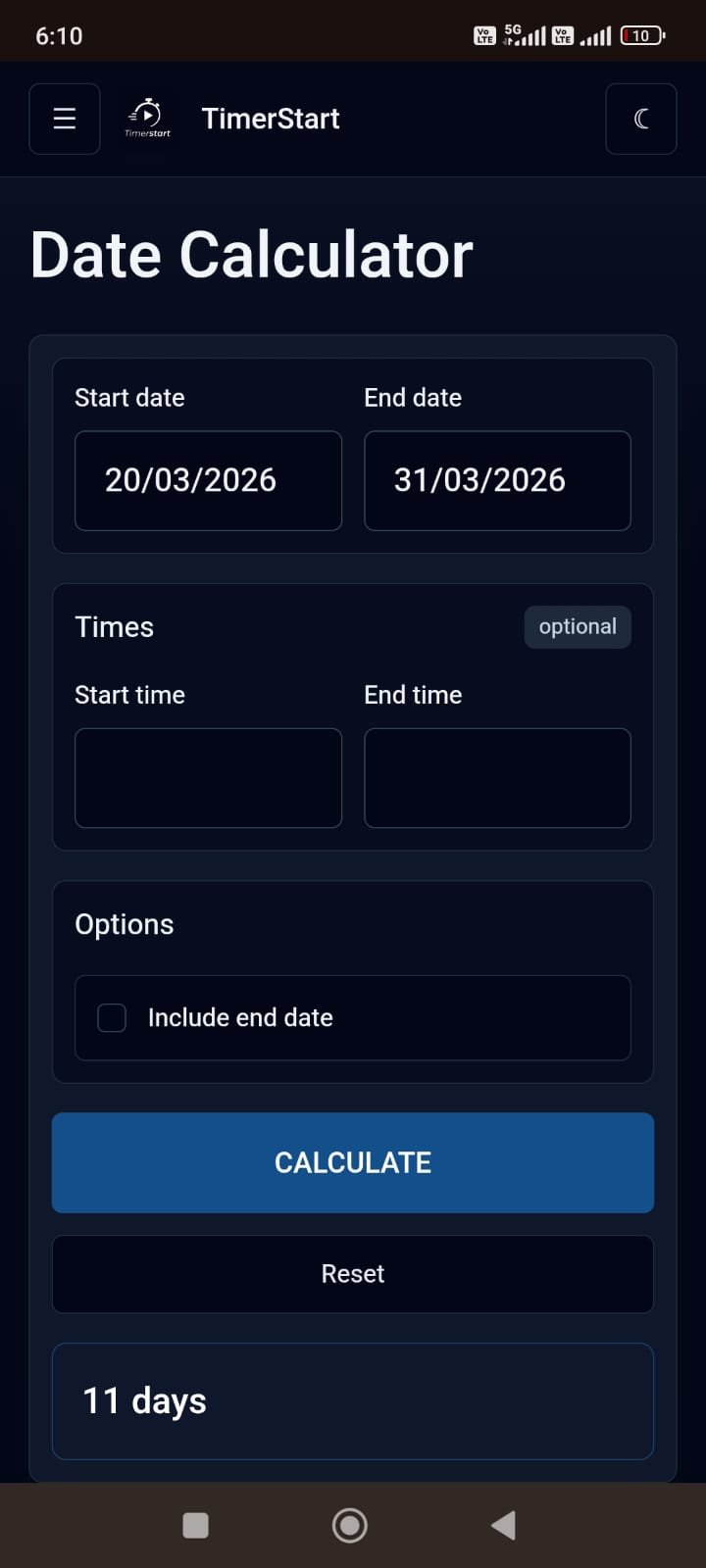
Example: March 20 to May 5
- March 20 to March 31 = 11 days
- All of April = 30 days
- May 1 to May 5 = 5 days
- Total: 11 + 30 + 5 = 46 days
A few things to watch out for when doing this manually:
- February has 28 days normally and 29 in a leap year.
- Not all months have 30 days. January, March, May, July, August, October, and December have 31.
- It is easy to miscount when crossing multiple months.
When accuracy really matters, it is worth double-checking with a calculator.
Should You Include the Start Date or End Date?
This is the question that causes the most confusion, so let us clear it up.
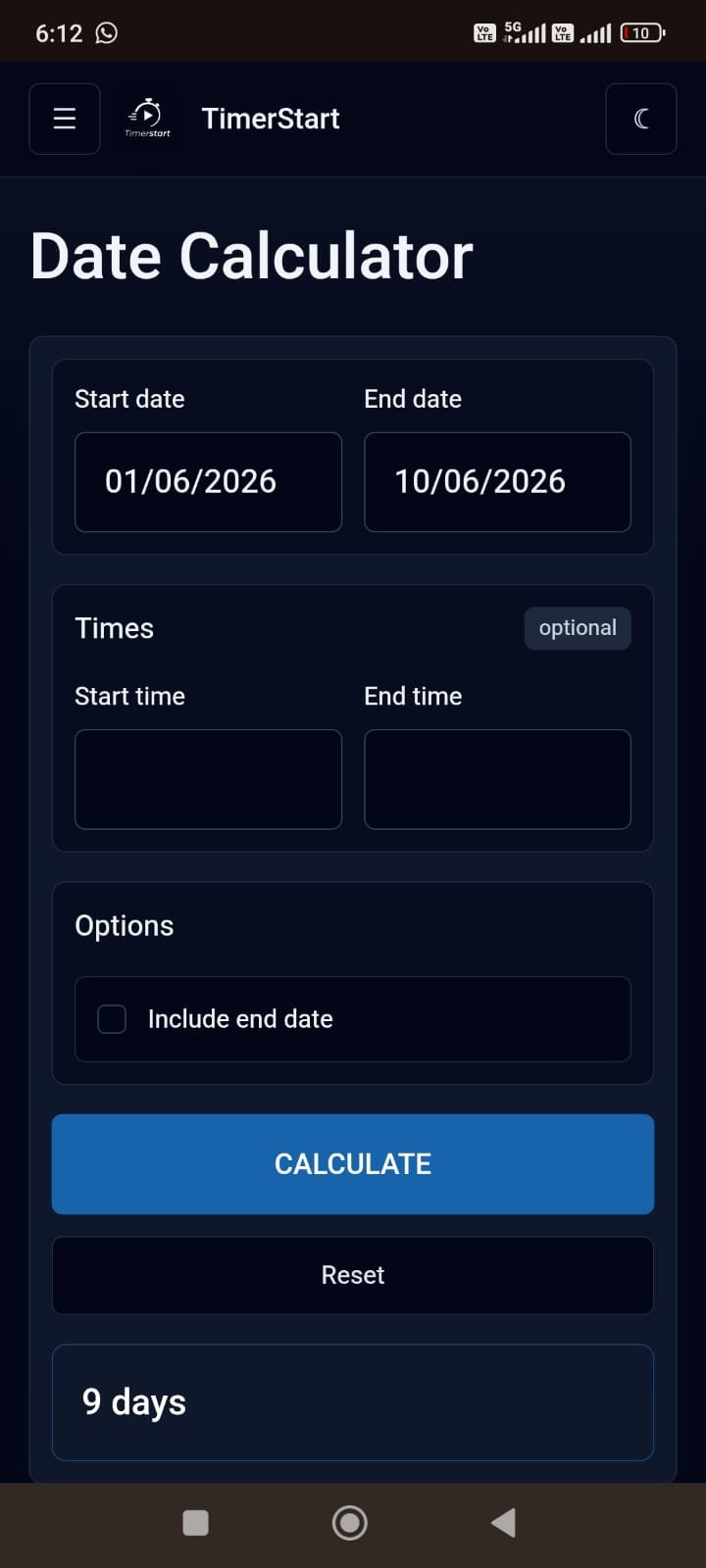
Standard counting is the most common method: you do not count the start date. You count the days that pass after it. June 1 to June 10 equals 9 days.
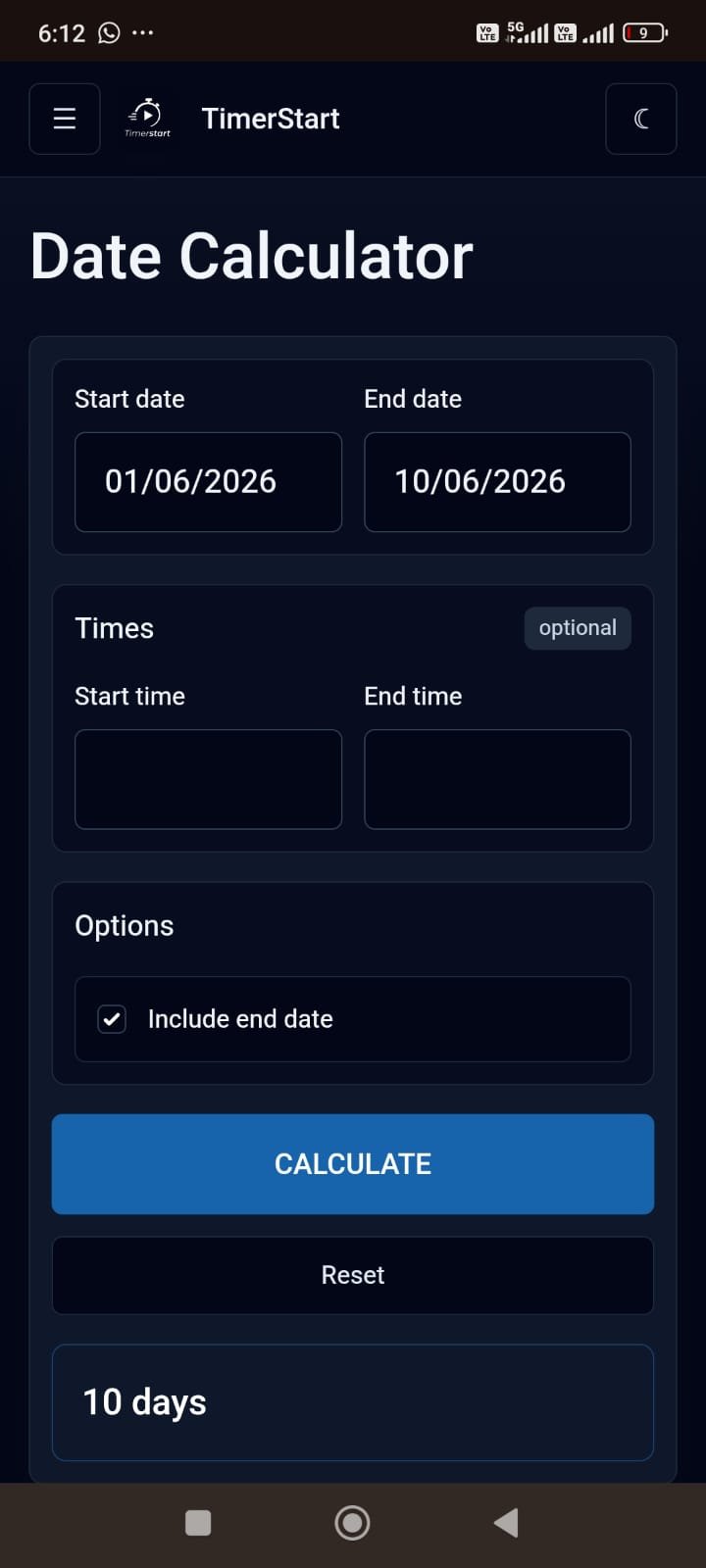
Inclusive counting counts both the start and end date as full calendar days. June 1 to June 10 equals 10 days.
Neither method is wrong. They are just used in different situations. A project deadline might count one way. A visa validity period might count another. A subscription period might include both dates.
The key takeaway: before you count, know which rule applies to your situation.
- Standard: June 1 to June 10 gives 9 days.
- Inclusive with the end date counted: June 1 to June 10 gives 10 days.
- Inclusive with both dates counted: June 1 to June 10 also gives 10 calendar dates in the range.
| Method | Start | End | Result |
|---|---|---|---|
| Standard | June 1 | June 10 | 9 days |
| Inclusive, end date counted | June 1 | June 10 | 10 days |
| Inclusive, both dates counted | June 1 | June 10 | 10 days |
Calendar Days vs Business Days
This is another area where things can go sideways if you are not careful.
Calendar days include every day of the week: Monday through Sunday, no exceptions. Weekends count. Public holidays count. It is just raw days on the calendar.
Business days, also called working days, usually exclude Saturdays and Sundays. Depending on the context, public holidays may also be excluded.
So if someone says your order ships in 5 business days on a Friday, that is not the same as 5 calendar days. You are looking at the following Friday, not Wednesday.
TimerStart's Date Calculator counts calendar days. If you specifically need business days, make sure the tool you use is built for that.
Examples of Date Difference Calculations
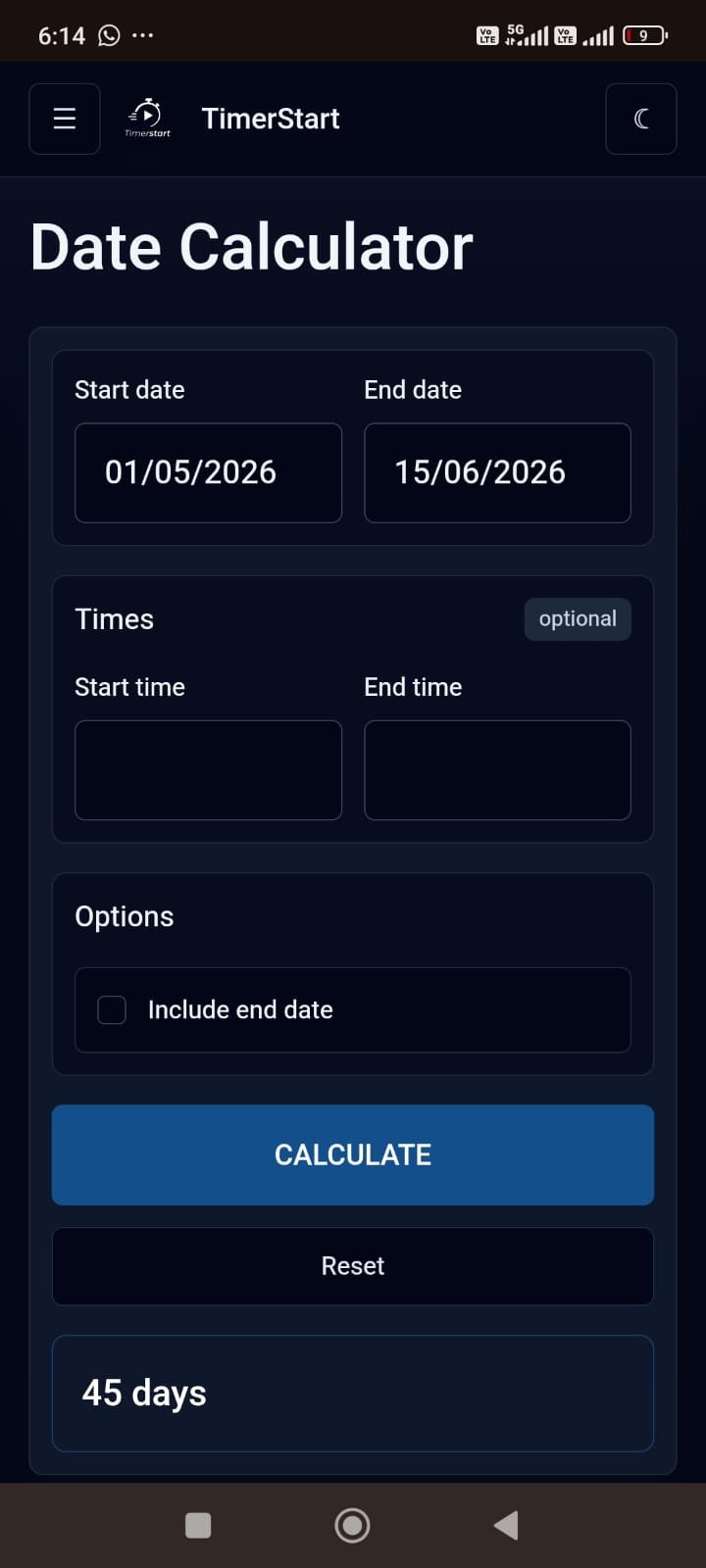
- Work deadline: Your project started on May 1 and is due June 15. May 1 to June 15 = 30 days remaining in May + 15 days in June = 45 days.
- School assignment: Assignment given April 3, due April 24. April 3 to April 24 = 21 days (standard counting).
- Travel planning: You booked a trip on February 10, departing March 2. Feb 10 to Mar 2 = 18 days remaining in February (it is not a leap year) + 2 days in March = 20 days.
- Event planning: Today is June 1 and your event is July 4. June 1 to July 4 = 29 days left in June + 4 days in July = 33 days.
- Subscription renewal: You signed up on January 15. Your 30-day trial ends February 14. That is straightforward calendar counting - just add 30 days to the start date.
If you want to avoid this mental math entirely, enter your dates in TimerStart's date calculator and get the result in one click.
Common Mistakes When Counting Days Between Dates
These are the ones that catch people out most often:
- Accidentally counting the start date Most standard date calculations do not include the start day. If you count it, you will be one day over.
- Forgetting whether the end date counts This depends entirely on what you are calculating for. When in doubt, check the rules for your specific situation.
- Mixing up calendar days and business days A 10-day business deadline is not the same as 10 calendar days. This one can cause real problems with official processes.
- Assuming every month has 30 days It does not. If February or a 31-day month is in your range, your manual count will be off.
- Missing leap years If your date range includes February of a leap year, that month has 29 days, not 28. Worth checking if you are doing this by hand.
- Ignoring time zones If you and the other party are in different time zones, today might actually be different dates. For anything time-sensitive, clarify which time zone applies.
- Using the result for official deadlines without verifying Legal, tax, visa, medical, and employment deadlines often have their own counting rules. A general date calculator gives you a helpful starting point, but always confirm with the relevant authority.
Use TimerStart's Date Calculator for Faster Results
If you are doing this more than once, or the stakes are high enough that manual mistakes are not acceptable, a calculator is the smarter move.
Here is how to use TimerStart's Date Calculator:
- Enter your start date
- Enter your end date
- The calculator shows the number of calendar days between them
It is quick, it handles month lengths and leap years automatically, and there is no arithmetic to double-check.
If you need to work in the other direction, use add days to date for forward planning or subtract days from date for looking back.
FAQs About Calculating Days Between Dates
These short answers cover the most common questions about date difference calculations.
How do I calculate days between two dates?
Subtract the start date from the end date, counting full calendar days in between. Or use TimerStart's date calculator to get the result instantly.
Do I count the start date?
In standard date difference calculations, the start date is not counted. The count begins the day after. That said, some situations, like visa validity or subscription periods, may include the start date, so check the rules that apply to you.
Do I count the end date?
It depends on the context. Standard calculations typically exclude the end date. Inclusive calculations count it. When it matters, verify which method your situation requires.
Are weekends included when counting days between dates?
Yes. Calendar day calculations include Saturdays and Sundays. If you need to exclude weekends, you are looking for a business day calculator.
Is a date difference calculator the same as a business day calculator?
No. A date difference calculator counts all calendar days. A business day calculator excludes weekends and often public holidays too. Make sure you are using the right one for your purpose.
Why do two calculators sometimes show different results?
Because they may use different counting rules. Some include the start date, some include the end date, and some do both. The math is the same; the interpretation of which days count is what changes.
Does time zone affect date difference?
It can, especially if your two dates are near midnight or in different countries. For official purposes, confirm which time zone the deadline is based on.
Does leap year affect date difference?
Yes, if your date range includes February of a leap year. February has 29 days instead of 28, which adds one day to any calculation passing through it.
Can I use this for legal, visa, tax, medical, or official deadlines?
A date calculator gives you a helpful estimate, but official deadlines, including legal, tax, visa, medical, and employment deadlines, often have specific counting rules. Always confirm with the relevant authority before acting on any result.
Can I add or subtract days from a date too?
Yes. If you know the number of days and want to find the resulting date, use add days to date or subtract days from date.