

What Date Is 30, 60, or 90 Days From Today?
If you've ever typed "what's the date 90 days from today" into a search bar before a deadline, you already know how easy it is to lose count somewhere around week six. Months don't all have the same number of days, weekends sneak in unevenly, and a quick mental calculation can drift off by a day or two without you noticing.
This guide walks through how adding days to a date actually works, what changes between 30, 60, and 90 days out, and where people most often go wrong. Whether you're tracking a payment due date, a project milestone, or a 90-day review period, the goal here is to give you a clear method - and a fast tool to confirm the exact answer.
Quick Answer: How to Find 30, 60, or 90 Days From Today
The fastest way to get an exact answer is to enter today's date and the number of days you need into TimerStart's Add Days tool. Type in your start date, choose how many days to add, and the calculator returns the future date instantly - no manual counting required.
We're not going to print a fixed "today + 90 days = X" date here, since that number changes every single day. Instead, this article focuses on the logic behind the calculation, so you understand exactly what's happening whenever you run the numbers.
Use TimerStart's add days to date tool to quickly find what date is 30, 60, 90, or any number of days from today.
How to Add Days to Today's Date
At its core, adding days to a date is simple: start with today, then move forward one day at a time until you've counted the full amount. In practice, a few details matter more than people expect.
- Start with today's date. This is your day zero, the baseline everything else is measured from.
- Add the number of calendar days. Calendar days include every day of the week - weekdays and weekends alike - unless you're specifically working with business days.
- Check whether today counts as day one. Some people include the starting day in the count, others start counting from the next day. This is one of the most common sources of off-by-one errors.
- Use a calculator instead of counting on a calendar. It's easy to miscount across month boundaries, especially when a month has 28, 30, or 31 days.
A calculator removes the guesswork. You enter the start date and the number of days, and it handles month lengths, leap years, and rollovers automatically.
What Date Is 30 Days From Today?
Thirty days is one of the most common windows people calculate, mostly because it lines up neatly with monthly cycles - though it isn't always exactly one month, depending on where you start.
Common situations where people need a 30-day calculation:
- Payment reminders - many invoices use "net 30" terms, so knowing the exact due date matters for avoiding late fees.
- Trial periods - free trials for software or subscriptions frequently run for 30 days before billing kicks in.
- Short-term deadlines - a 30-day notice period for a lease, job change, or contract.
- Monthly follow-ups - checking back on a task, client, or application roughly a month later.
Because 30 days can land in a different month than where it started - and that month might be shorter or longer - it's worth double-checking rather than assuming "30 days" always equals "one month." Use the Add Days tool to confirm the exact date for your situation.
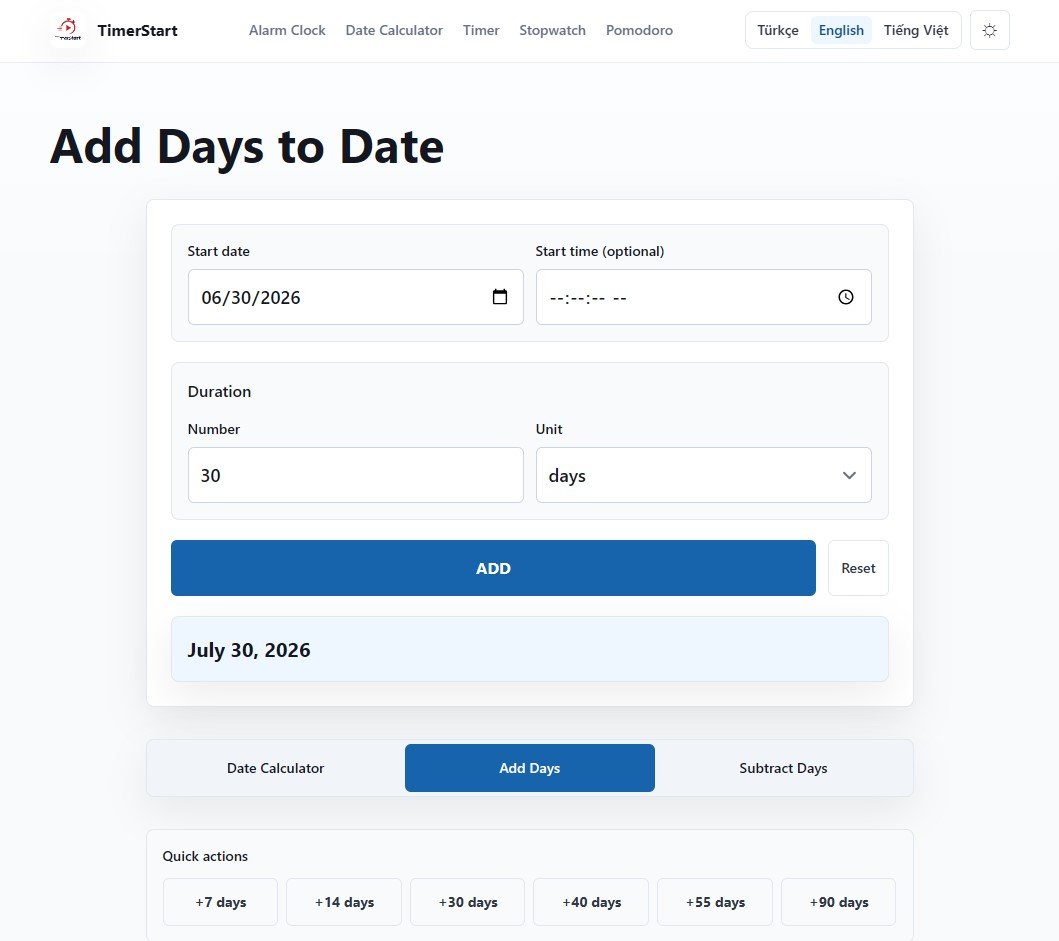
What Date Is 60 Days From Today?
Sixty days stretches across roughly two full months, which makes it a popular window for medium-term planning where you need more runway than 30 days but don't want to wait a full quarter.
Typical use cases include:
- Project milestones - checkpoints set two months out to track progress on longer initiatives.
- Application windows - many programs, grants, or visas list a 60-day processing or response window.
- Subscription planning - services with 60-day billing cycles or renewal notices.
- Travel preparation - booking flights, arranging documents, or planning logistics ahead of a trip.
Just like with 30 days, 60 days won't always land on a clean "two months later" date, since it depends on which months you're crossing. February, for example, can throw things off if your 60-day window starts late in December or January.
Instead of counting manually, enter your start date and number of days in the Add Days tool to get the future date.
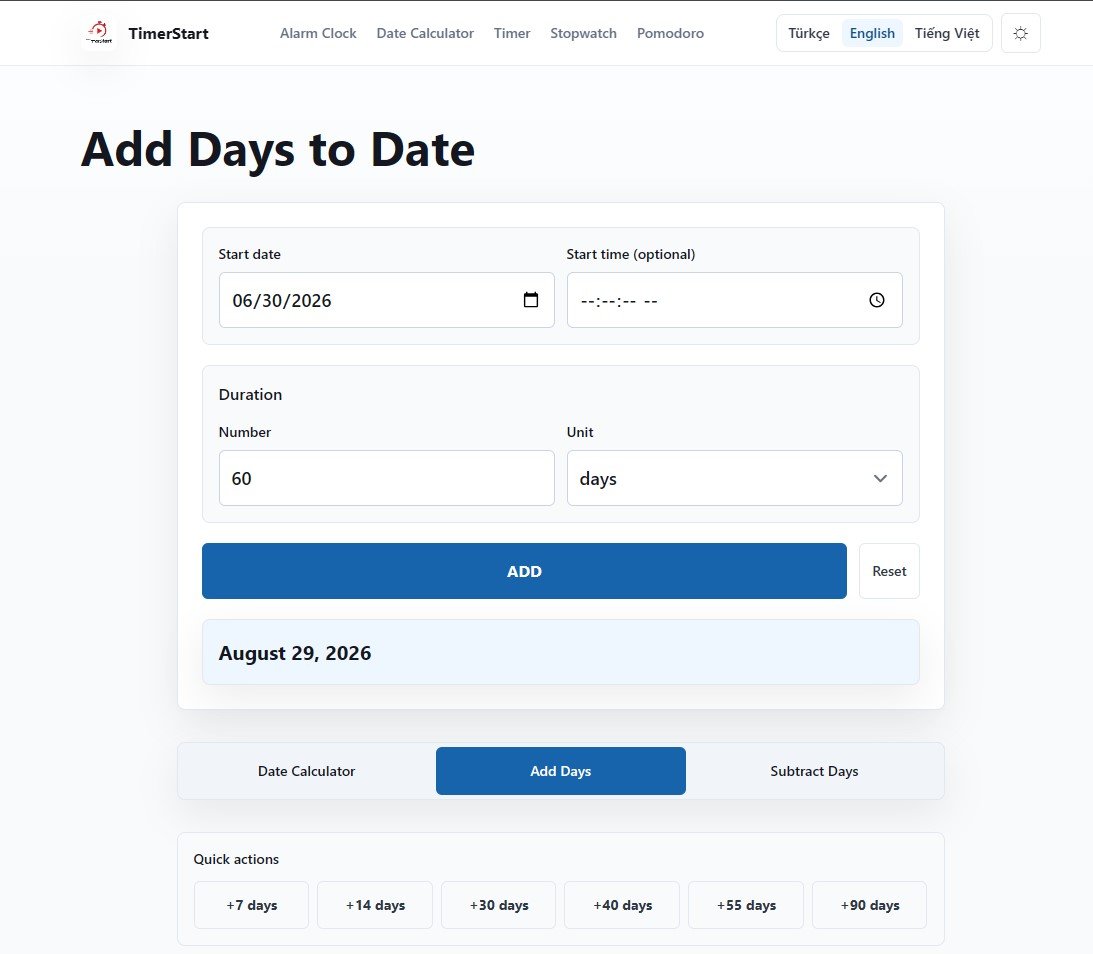
What Date Is 90 Days From Today?
Ninety days is one of the most searched future-date questions, and for good reason - it shows up constantly in business, health, and personal planning contexts.
Common 90-day scenarios:
- 90-day plans - onboarding plans, fitness goals, or savings challenges often run on a 90-day structure.
- Renewals - subscriptions, leases, or memberships that renew on a quarterly basis.
- Follow-up periods - medical check-ins, sales follow-ups, or check-back reminders.
- Probation or review periods - many employers use a 90-day probationary window for new hires.
- Personal goals - a 90-day window is long enough to build a habit but short enough to stay motivating.
Here's an important detail people often get wrong: 90 days is not always the same as 3 calendar months. Three months can be anywhere from 89 to 92 days long depending on which months are involved (think February versus a run of 31-day months). If your deadline says "90 days," it almost always means exactly that - 90 individual days - not "three months from now." Treating the two as interchangeable is one of the easiest ways to miss a deadline by a day or two.
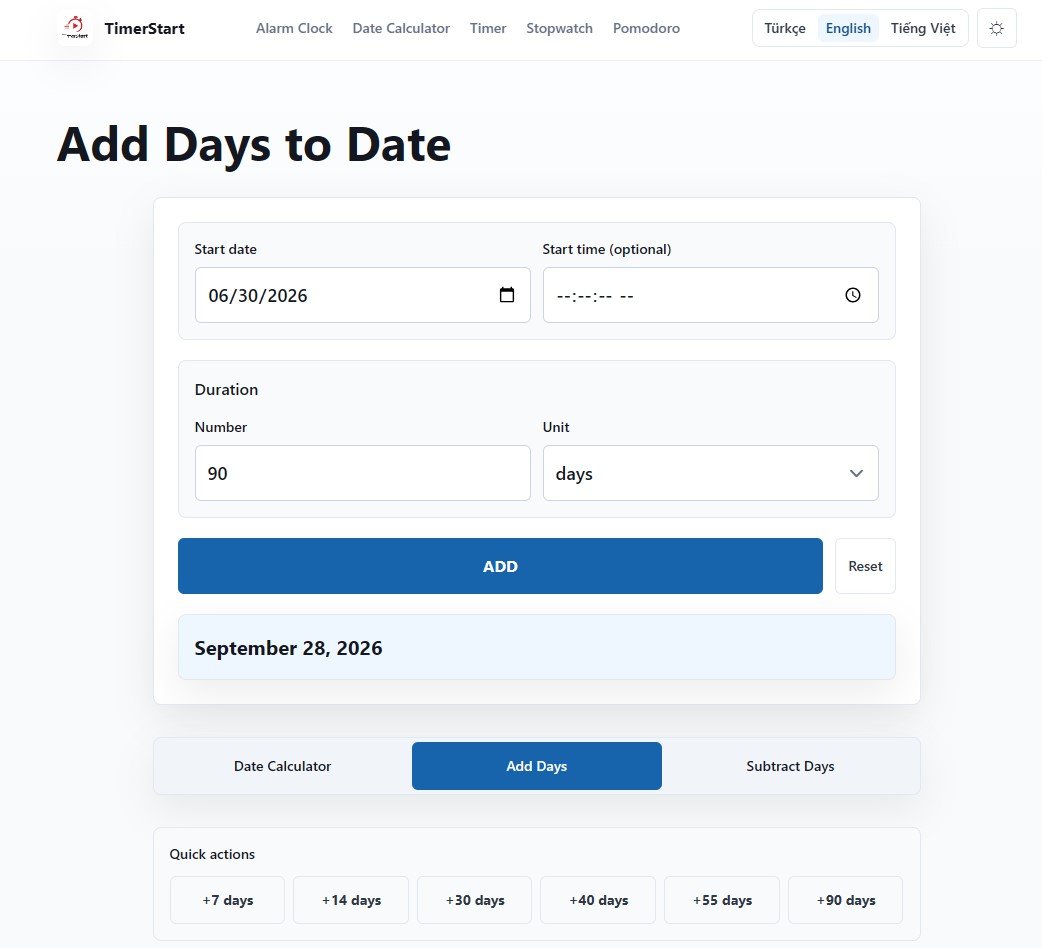
Calendar Days vs Business Days
This distinction trips up more people than almost anything else in date math.
Calendar days count every single day, including Saturdays, Sundays, and public holidays. When a deadline says "30 calendar days," weekends are included in that count.
Business days typically exclude weekends, and sometimes exclude public holidays too, depending on the specific rule or jurisdiction. "30 business days" can stretch out to roughly 42 calendar days once weekends are factored in.
Public holidays may or may not be excluded - it depends entirely on the rule you're working under, whether that's a contract, a government agency, or an internal company policy.
TimerStart's Add Days tool is built for calendar-date calculations, meaning it counts straight through weekends unless you're told otherwise by whatever deadline or rule you're working from. If you're dealing with an official deadline that specifies business days, check that rule directly with the relevant authority - TimerStart doesn't substitute for that verification.
Common Mistakes When Calculating Future Dates
A few small mistakes account for most date-calculation errors:
- Treating 90 days as exactly 3 months. As covered above, these aren't always equal.
- Forgetting weekends or holidays. This matters most when a deadline specifically uses business days.
- Mixing up calendar days and business days. Always confirm which one applies before you calculate.
- Counting today incorrectly. Decide upfront whether today is "day zero" or "day one," and be consistent.
- Ignoring time zones or cutoff times. A deadline of "11:59 PM" can mean different things depending on which time zone is in effect.
- Misreading date formats. MM/DD/YYYY versus DD/MM/YYYY confusion can shift your entire calculation by weeks.
Being aware of these is usually enough to avoid them. When the stakes are higher - a legal filing, a tax deadline, a visa application - it's worth double-checking with a calculator and, where relevant, the official source.
Use TimerStart's Add Days Tool
Once you understand the logic, the fastest way to get a precise answer is to skip the manual math entirely.
Here's how to use the Add Days tool:
- Enter your start date - this can be today or any custom date in the past or future.
- Enter the number of days to add - 30, 60, 90, or any custom number like 45, 75, or 120.
- Click Add to get the resulting future date instantly.
The tool works the same way regardless of which day count you need, so it's just as useful for a quick 14-day reminder as it is for a 90-day plan.
You can also use TimerStart's date calculator to calculate days between two dates, or subtract days from date to find a date in the past instead of the future.
FAQs About Adding Days to Today's Date
These answers cover the most common questions people have when adding 30, 60, 90, or any custom number of days to today's date.
How do I calculate 90 days from today?
Enter today's date and 90 as the number of days into the Add Days tool. It will return the exact future date instantly, accounting for month lengths and leap years.
Is 90 days from today the same as 3 months from today?
Not always. Three calendar months can be 89 to 92 days depending on which months are involved, so the two figures only match up sometimes.
Are weekends included when adding 30, 60, or 90 days?
Yes, when you're working with calendar days, weekends are included in the count. Business-day calculations exclude weekends and sometimes holidays.
What is the difference between calendar days and business days?
Calendar days count every day of the week. Business days typically count only Monday through Friday, excluding weekends and often public holidays.
Can I add days to a date other than today?
Yes. The Add Days tool lets you choose any start date, past or future, not just today.
Does leap year affect future date calculations?
Yes, leap years add an extra day to February, which can shift results slightly if your date range crosses one.
Does time zone affect the result?
The calculated date itself doesn't change, but cutoff times tied to a deadline can vary by time zone, so it's worth checking which time zone an official deadline uses.
Can I use this for legal, visa, tax, medical, or official deadlines?
TimerStart's tools are designed for general date calculations and aren't a substitute for legal, financial, tax, medical, or immigration advice. For official deadlines, always verify the rule with the relevant authority.
How do I subtract days from today instead?
Use TimerStart's Subtract Days tool to count backward from a date instead of forward.
What is the easiest way to add days to a date?
Using a dedicated calculator like Add Days is the most reliable method, since it avoids manual counting errors across months and leap years.