

How to Subtract Days From a Date Without Counting Manually
Say you've got a date in front of you and need to know what came before it. Seven days earlier. Forty-five. A hundred and twenty, maybe. The math isn't the hard part. The calendar is. Months aren't all the same length, February changes size every four years, and it's astonishingly easy to lose your place halfway through counting backward on a wall calendar or your fingers.
So here's the actual process, plus a way to skip counting entirely.
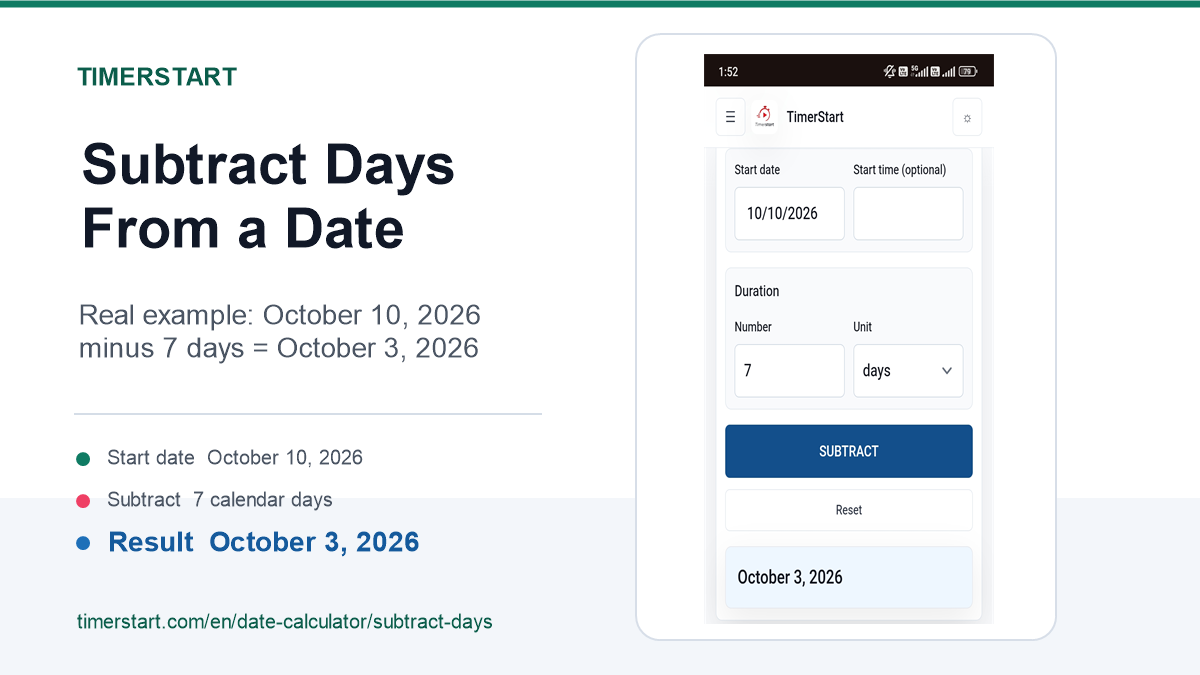
Quick Answer: How to Subtract Days From a Date
You just need two things. A starting date, and a number of days you want to go back.
Pick the date you're working from - could be today, could be some date next month, doesn't matter. Decide how many days to subtract. Then count backward, moving through whatever months or years you have to cross.
October 10, 2026 minus 7 days? October 3, 2026. Easy enough by hand.
Where it gets messy is with bigger numbers. Try subtracting 45 or 120 days and you have to track exactly how long every month in between actually was, plus whether February landed as 28 days or 29. Small mistakes creep in fast.
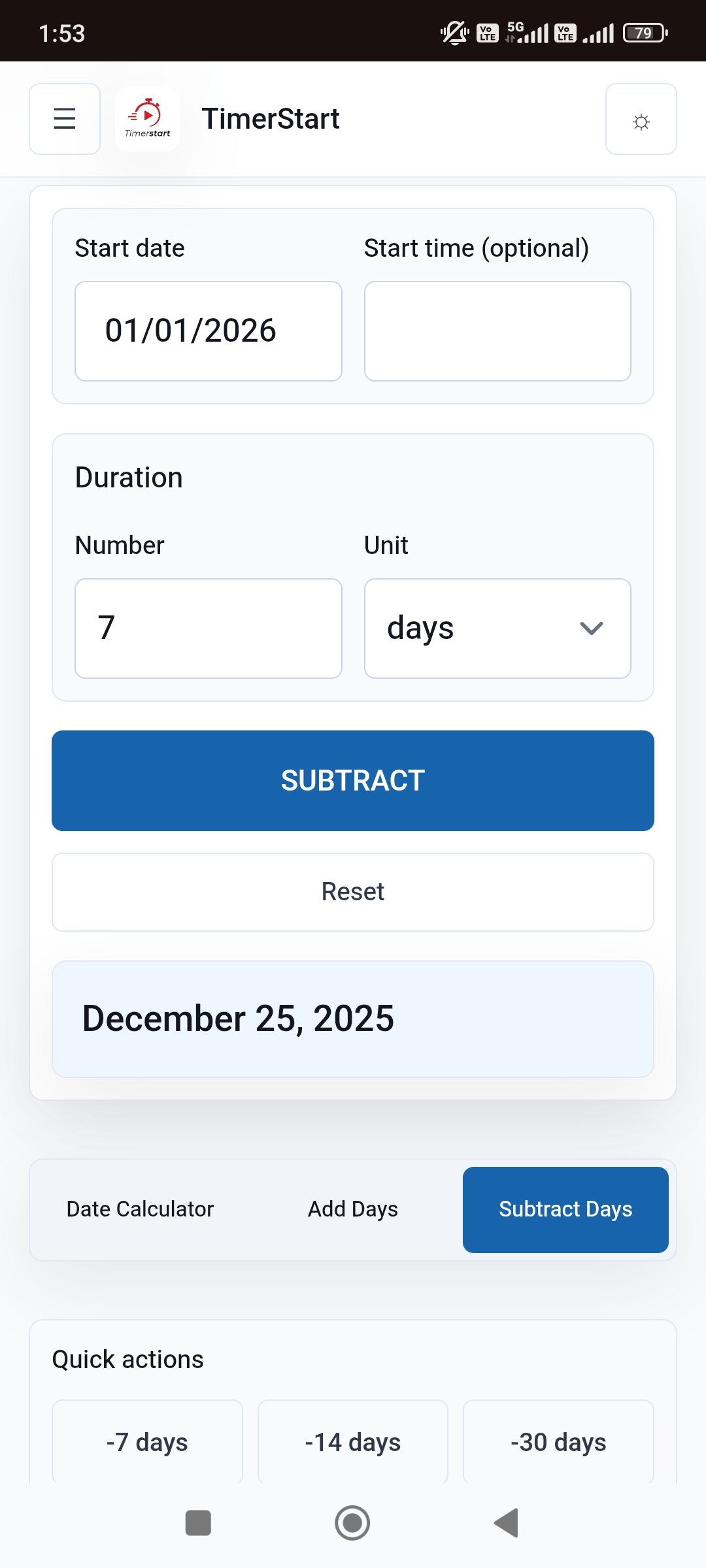
This is really all TimerStart's Subtract Days calculator is for. Put in your starting date, put in the number of days, and it gives you the answer without you having to double-check a single month length.
Need the earlier date right now? Choose your reference date and enter the number of days in TimerStart's Subtract Days calculator - it's faster than this paragraph.
Calculate an Earlier Date Instantly
Use TimerStart's Subtract Days calculator to choose a starting date, enter the number of days, and find the earlier date instantly.
Why Counting Backward Manually Can Be Confusing
None of the arithmetic here is hard. What trips people up is the calendar itself.
A few of the usual culprits: months don't share a length (31, 30, 28, 29 - take your pick), and crossing from one year into the previous one adds a layer most people don't expect. It's also just easy to lose count somewhere around day 40 of a 90-day stretch. Some people count the starting date itself as "day one," which quietly shifts the whole answer by a day. And calendar days get confused with business days more often than you'd think - someone means "working days" but counts every single day instead.
None of that means anyone's bad at maths. A calendar is designed to show you the month you're currently in. It was never built to help you jump backward through five of them at once.
How to Use TimerStart's Subtract Days Calculator
It works about how you'd expect:
Open the Subtract Days calculator, pick your starting date, type in how many days you want to subtract, and hit calculate. That's the whole thing.
Say your starting date is June 30, 2026, and you're going back 45 days. The result is May 16, 2026. You don't have to figure out how many days are left in June versus how many you need from May - the tool just handles wherever the crossover happens to land.
Watch a Quick Walkthrough
Subtract Days in 3 Steps
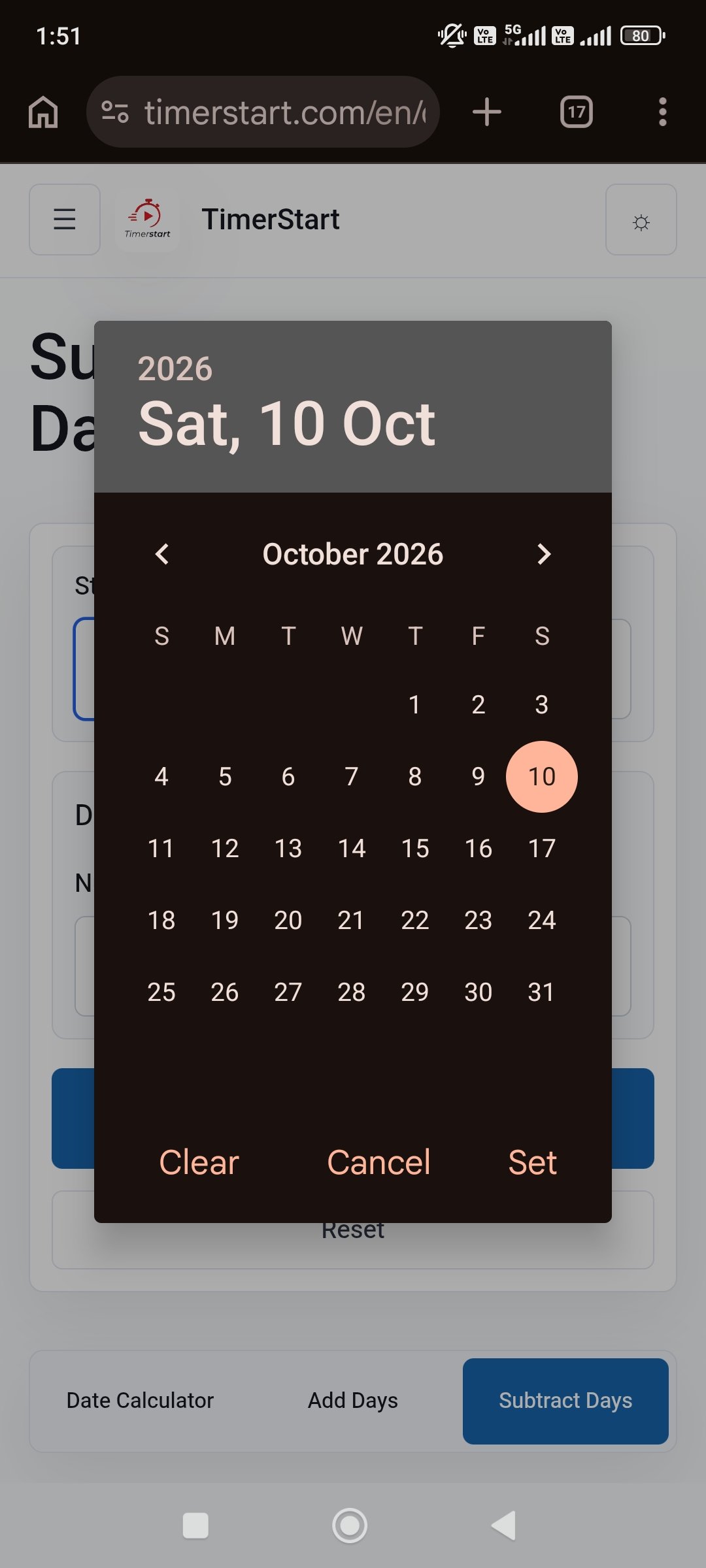
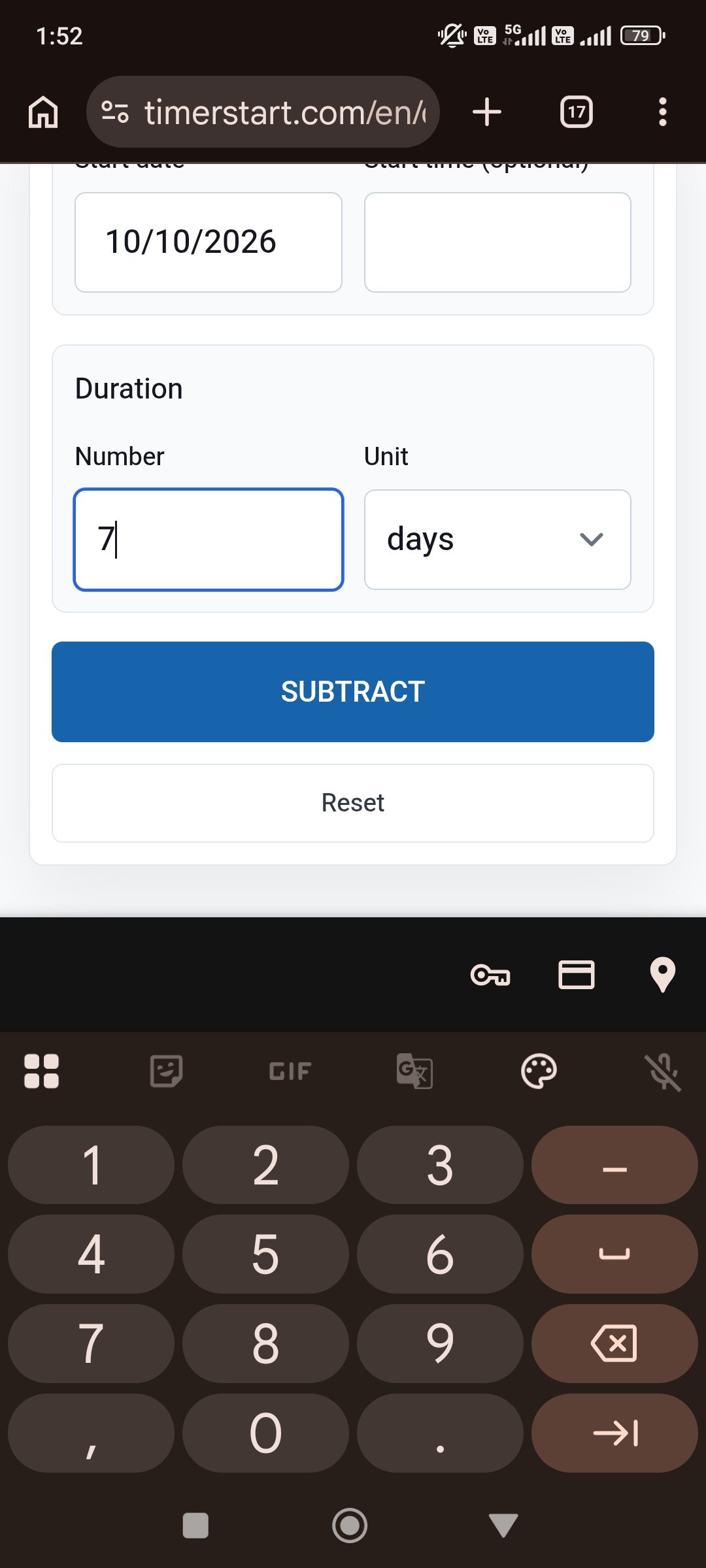
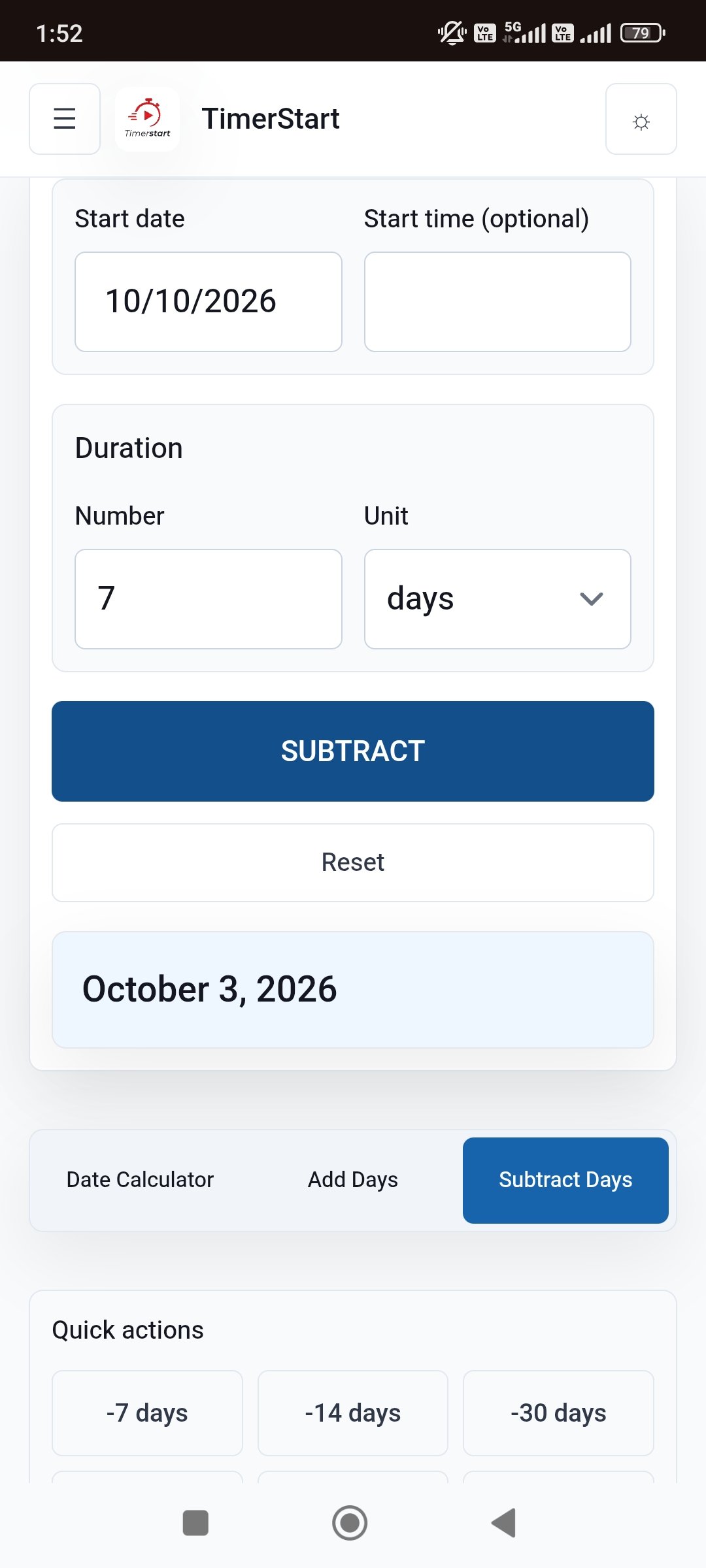
How Date Subtraction Works
The underlying idea is simple: start at a reference date, move backward one day at a time, for as many days as you specify.
A few things worth knowing. One day before January 10 is January 9 - obviously. Subtract zero days and nothing changes. Subtract seven and you usually land on the same weekday, just a week earlier. And crossing into a new month or year doesn't change how the counting works - it only changes what the final date looks like.
A few quick ones to anchor this:
- October 10, 2026 minus 7 days = October 3, 2026
- January 1, 2026 minus 1 day = December 31, 2025
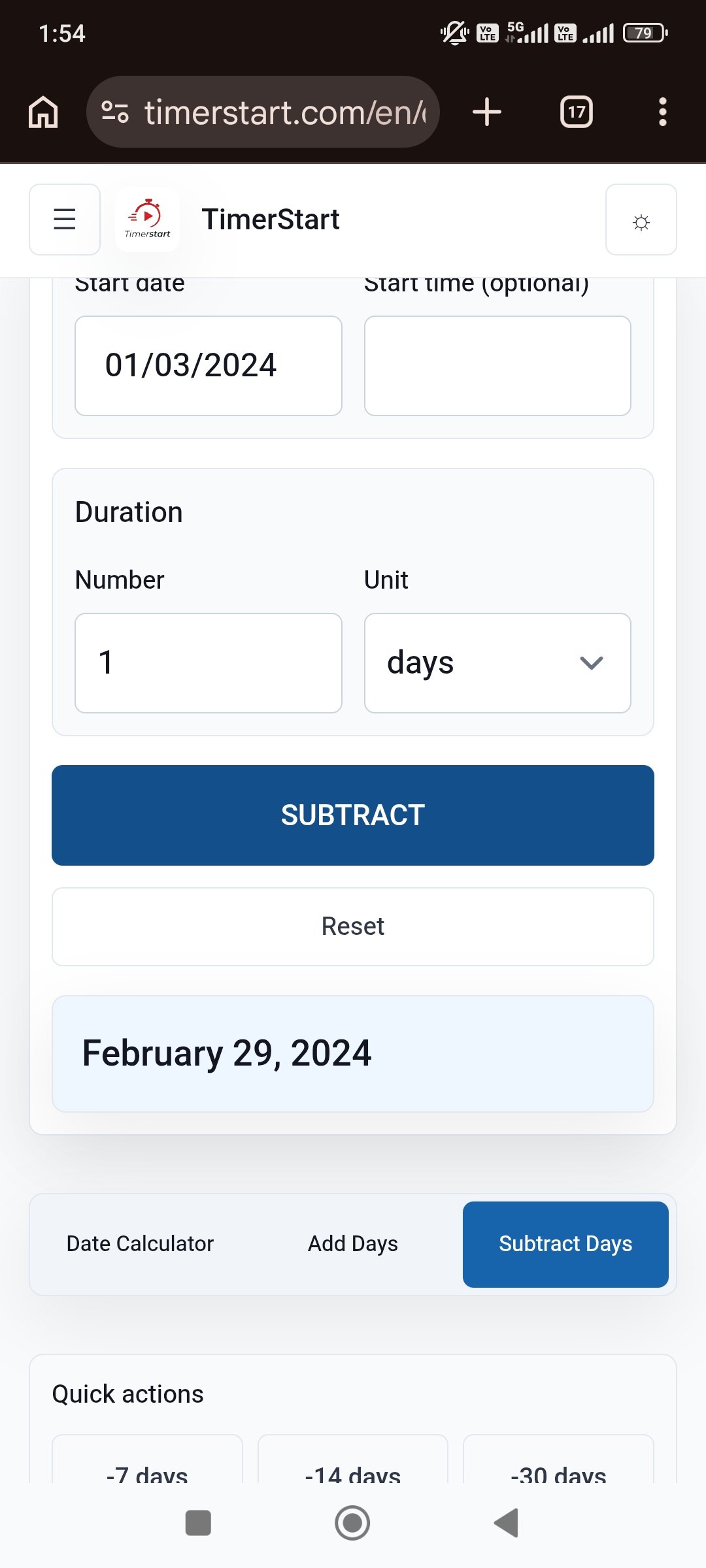
- March 1, 2024 minus 1 day = February 29, 2024
That last one's a leap year, which we'll come back to.
Examples of Subtracting Days From Different Dates
A table's honestly the clearest way to show this across a range of values.
| Reference date | Days subtracted | Earlier date |
|---|---|---|
| October 10, 2026 | 7 days | October 3, 2026 |
| January 15, 2026 | 30 days | December 16, 2025 |
| June 30, 2026 | 45 days | May 16, 2026 |
| September 1, 2026 | 120 days | May 4, 2026 |
Try swapping in your own date and day count and see what you get.
If you're after 30, 60, or 90 days ago specifically, we've got a separate article that walks through those exact numbers in more depth. This one's about the general process - any date, any number.
Subtracting Days Across Months, Years, and Leap Years
Three things cause almost all of the confusion.
Month boundaries, first. Go backward from the 1st of any month and you land in the previous one - fine in theory, but people routinely miscount how long that previous month actually was.
Year boundaries next. Count back from early January and you can end up in the previous year entirely, sometimes without quite realizing it. January 1, 2026 minus 1 day is December 31, 2025 - a full calendar year earlier, even though it's a single day of movement.
And leap years. February gets an extra day every four years, and that extra day matters if your subtraction happens to pass through it. March 1, 2024 minus 1 day is February 29, 2024, since 2024 was a leap year. March 1, 2025 minus 1 day, though, is February 28, 2025 - 2025 wasn't one.
Why Subtracting Days Is Not Always the Same as Subtracting Months
Here's a mistake that catches a lot of people, even careful ones: subtracting days and subtracting months are not interchangeable, even when the numbers look like they should line up.
A day is a fixed unit. It's always the same length. A month isn't - it can be 28, 29, 30, or 31 days depending on which one you're in and what year it is. So "30 days ago" and "one month ago" aren't automatically the same date. Neither are "90 days ago" and "three months ago."
Take March 31, 2026. Subtract 30 days and you land on March 1, 2026. Subtract one calendar month instead and you land on February 28, 2026. Same starting point, two different results, because one method counts days and the other counts months.
If whatever you're working from - a form, a contract, an instruction from someone - specifies days, use days. If it says months, use months. Don't assume you can swap one for the other. Again, the 30, 60, or 90 days ago article goes deeper into this if that's specifically what you're dealing with.
Calendar Days vs Business Days
One more distinction that's easy to blur: calendar days versus business days.
Calendar days count everything - weekends included, holidays included, every date on the calendar in order. That's what TimerStart's Subtract Days calculator is built around.
Business days are different. They typically skip weekends, and often skip public holidays too, though exactly which days get excluded depends on the country, the company, or whatever contract or policy applies. There isn't one universal rule for it.
So if you're dealing with something that specifically requires business days, working days, or court days, check the actual rule that applies before assuming calendar days will give you the same answer. They frequently won't. TimerStart calculates calendar dates - it isn't built to handle business-day or holiday logic.
Common Reasons to Calculate an Earlier Date
People end up needing this for pretty ordinary reasons. Working backward from a project deadline to figure out when to actually start. Finding when a billing cycle or review period began. Checking when an assignment was really due. Planning the lead-up to an event. Sorting out travel prep timing. Looking back at a past transaction or record.
Here's one concrete version of it: an event is set for September 1, 2026, and prep needs to start 120 calendar days before that. Work it out and you land on May 4, 2026.
Take a date you already know, plug in the number of calendar days, and let TimerStart do the rest.
Common Date-Subtraction Mistakes to Avoid
A short list of the errors that actually cause most wrong answers: starting from the wrong reference date. Counting the starting date itself as day one. Mixing up days with months, which we covered above. Using calendar days when the situation actually needs business days. Forgetting a leap year exists. Misreading a date format - write dates out in full, like April 5, 2026, rather than 04/05/2026, which different countries read differently. Ignoring time-zone or cutoff details that matter for anything official. And treating a calculator's output as legal or professional advice, which it isn't.
Use TimerStart to Find What Date Was X Days Ago
Whatever number you're working with, and whatever date you're starting from, the process is the same every time. You don't need to walk through each month by hand - TimerStart handles the ordinary calendar movement automatically, month and year crossovers and leap years included.
If there's a specialized deadline rule involved - legal, medical, immigration, anything like that - check it separately. Those tend to run on their own counting logic.
Open TimerStart's Subtract Days calculator, pick your starting date, enter how far back you need to go, and you're done.
A couple of related tools, if you need them: the date calculator works out the number of days between two dates, and the Add Days calculator does the opposite of this article - moving a date forward instead of back.
More Date Calculator Guides
For nearby date questions, see calculate days between two dates, 120 or 180 days from today, and 30, 60, or 90 days from today.
FAQs About Subtracting Days From a Date
These answers cover the most common questions people have when subtracting calendar days from a date.
How do I subtract days from a date?
Pick a starting date, decide how many days to go back, and count backward through the calendar - or let a tool like TimerStart's Subtract Days calculator do it instantly.
What date was X days ago?
Depends entirely on your starting point and what X is. Plug both into the calculator and it'll tell you.
Can I subtract days from a date other than today?
Yes - any date works as your starting point, not just today.
Do I count the starting date when subtracting days?
No. The starting date is day zero. Counting begins the day after it.
Does a days-ago calculator include weekends?
If it's working in calendar days, yes - every day counts, weekends included. That's how TimerStart's tool works.
Are public holidays included?
In a calendar-day calculation, yes, every date counts regardless of holidays. Business-day rules are a different matter and may exclude them.
Can TimerStart subtract business days?
No - it works with calendar days. If your situation specifically calls for business-day math, confirm the exact rule that applies before relying on a calendar-day result.
Is 30 days ago the same as one month ago?
Not necessarily. Months vary in length, so those two can land on different dates depending on where you start.
Is 90 days ago the same as three months ago?
Also not guaranteed - three calendar months can span anywhere from 89 to 92 days depending on which months are involved.
Does a leap year affect date subtraction?
Yes, if your calculation crosses through February in a leap year - that month runs 29 days instead of 28, which shifts the result.
What happens when the calculation crosses into another year?
It just keeps going. January 1 minus 1 day, for instance, lands on December 31 of the previous year.
What happens if I subtract zero days?
Nothing - the date stays exactly where it was.
Why do two calculators sometimes show different results?
Usually because one's counting calendar days and the other's counting business days, or the starting date got entered slightly differently. Worth checking which method each one actually uses.
Can I use the calculated date for an official deadline?
Treat it as a starting point, not a final answer. Legal, tax, immigration, medical, and employment deadlines often follow their own specialized counting rules - confirm anything important with the relevant authority or a qualified professional.
What if I need to calculate a future date instead?
That's the Add Days calculator - same idea, opposite direction.