

Days, Weeks, Months, or Years: Which Date Calculator Unit Should You Use?
You know the duration - the tricky part is knowing which button to press. Four weeks isn't quite one month. Thirty days isn't quite one month either. Fifty-two weeks isn't quite one year. None of this is a bug in any calculator; it's just how the calendar works. Here's how to pick the right unit before you add or subtract anything.
Quick Answer: Which Date Unit Should You Choose?
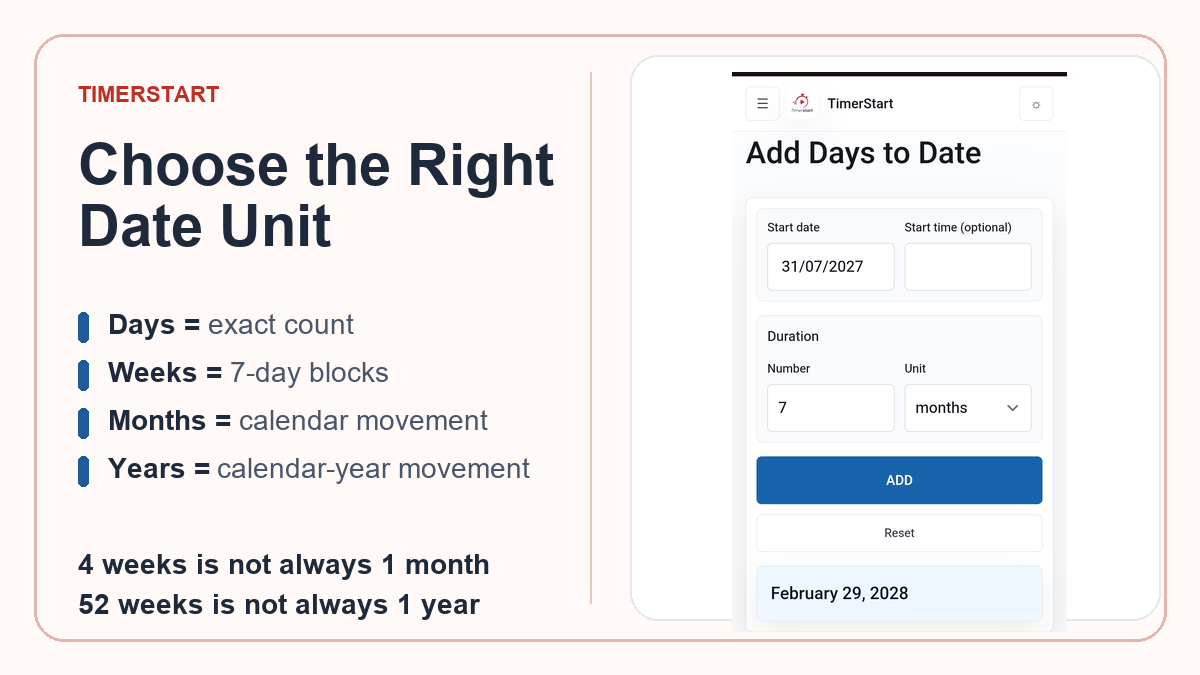
Use days when the instruction gives an exact number of calendar days. Use weeks for seven-day blocks or a weekly schedule. Use months for calendar months, renewals, or billing cycles. Use years for calendar-year instructions or long-term anniversaries.
Then pick a direction: use Add for a later date, or Subtract for an earlier one.
The main rule underneath all of this: match the calculator unit to the original wording, rather than converting it into something that seems close enough.
What Do Days, Weeks, Months, and Years Mean?
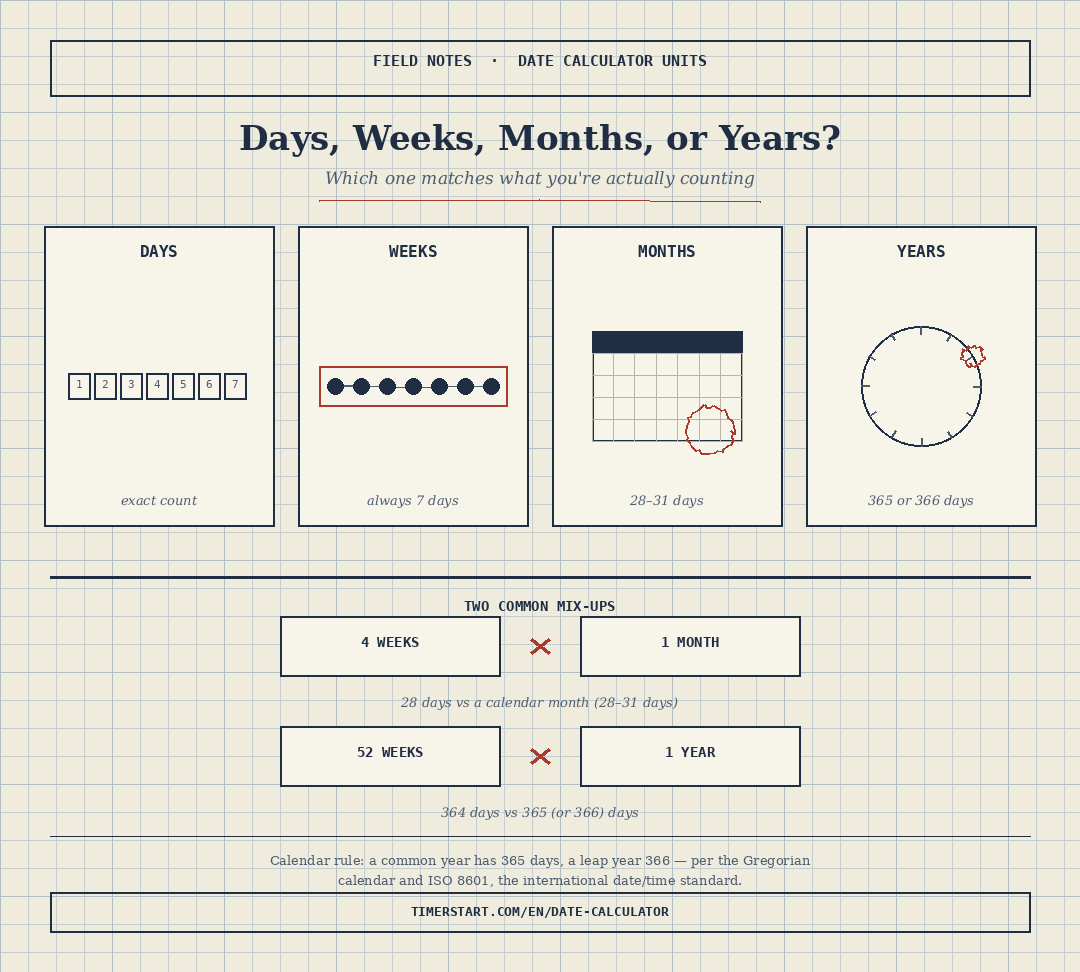
One week always contains seven days. A month doesn't have one fixed length. A calendar year has 365 days, or 366 in a leap year - a rule set out in the Gregorian calendar reform and still the basis for the international date standard ISO 8601, which most digital calendars and calculators follow today. Month and year operations try to preserve the calendar date where possible, and a shorter target month may need adjustment.
Start With the Exact Wording
If the instruction says 14 days, use days. If it says 6 weeks, use weeks. If it says 3 months, use months. If it says 2 years, use years.
Don't automatically replace 30 days with one month, four weeks with one month, 12 months with 365 days, or 52 weeks with one year. The words in the requirement are part of the calculation - and policies, contracts, and warranties may define their own units separately from ordinary calendar logic.
When Should You Use Days?
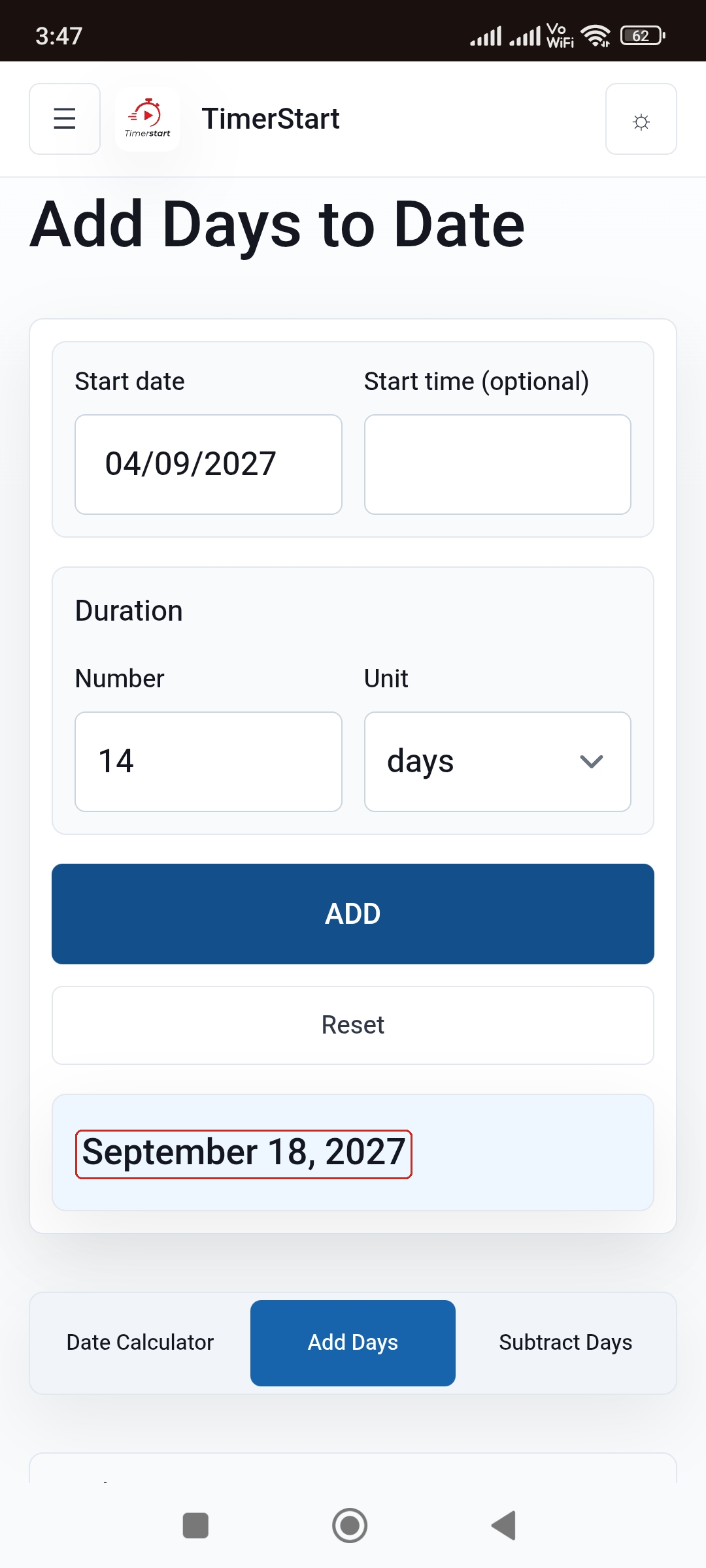
Days work best for exact short durations, countdowns, and any case where every calendar date counts. September 4 plus 14 days equals September 18. Fixed example: October 10, 2026 plus 14 days equals October 24, 2026. A day count simply moves through the calendar one date at a time. Calendar days versus business days is a separate decision - more below, and you can also compare calendar days vs business days.
When Should You Use Weeks?
Weeks suit weekly schedules, course or training periods, and follow-up intervals. September 4 plus 2 weeks equals September 18. Two weeks is 14 days, four weeks is 28 days, and whole weeks normally land on the same weekday - even across a new month.
When Should You Use Months?
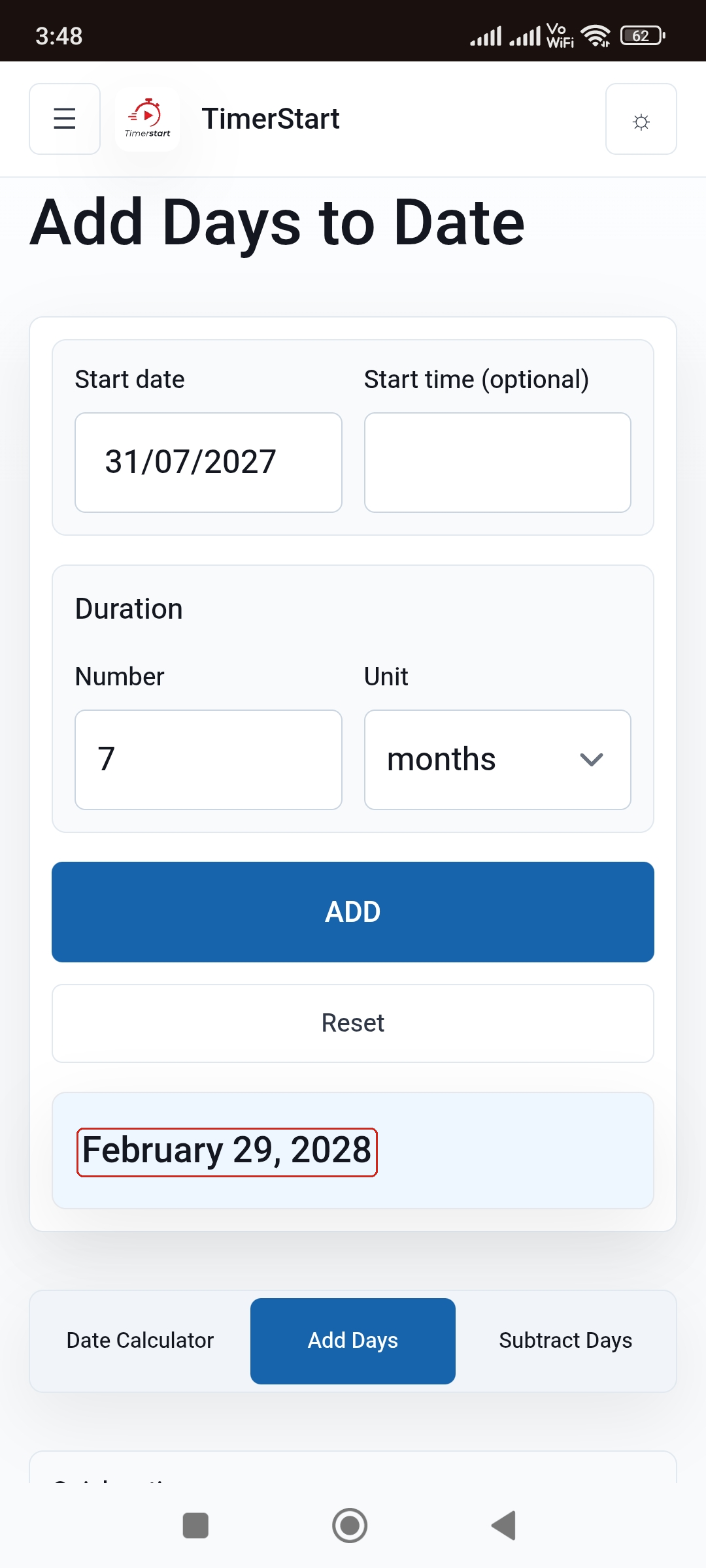
Months fit billing cycles, subscription renewals, and calendar-month notices. October 12 plus 2 months equals December 12. Fixed month-end example: July 31, 2027 plus 7 months becomes February 29, 2028, under TimerStart's documented shorter-month rule. One month is a calendar movement, not a fixed 30-day duration.
When Should You Use Years?
Years suit anniversaries, long-term renewals, and historical comparisons. September 22, 2027 plus 2 years equals September 22, 2029. Watch for February 29 - it may not exist in the target year, so don't assume every year is exactly 365 days.
Days vs Weeks: When Do They Produce the Same Result?
This is the one clean conversion. One week is exactly seven days, so September 4 plus 14 days and September 4 plus 2 weeks both land on September 18 - as long as the unit still matches what was actually requested.
Four Weeks vs One Month: Why the Results Differ
Four weeks is always 28 days. A month can be 28 to 31. September 4 plus 4 weeks equals October 2, while September 4 plus 1 month equals October 4 - a two-day difference. Four weeks describes elapsed seven-day blocks; one month describes calendar movement.
Thirty Days vs One Month: Why the Starting Date Matters
July 31, 2027 plus 30 days equals August 30, 2027. July 31, 2027 plus 1 month equals August 31, 2027. Neither is wrong - thirty days is always thirty calendar-day movements, while one month depends on the source and target months, and the gap can grow further when the target month is noticeably shorter, such as February.
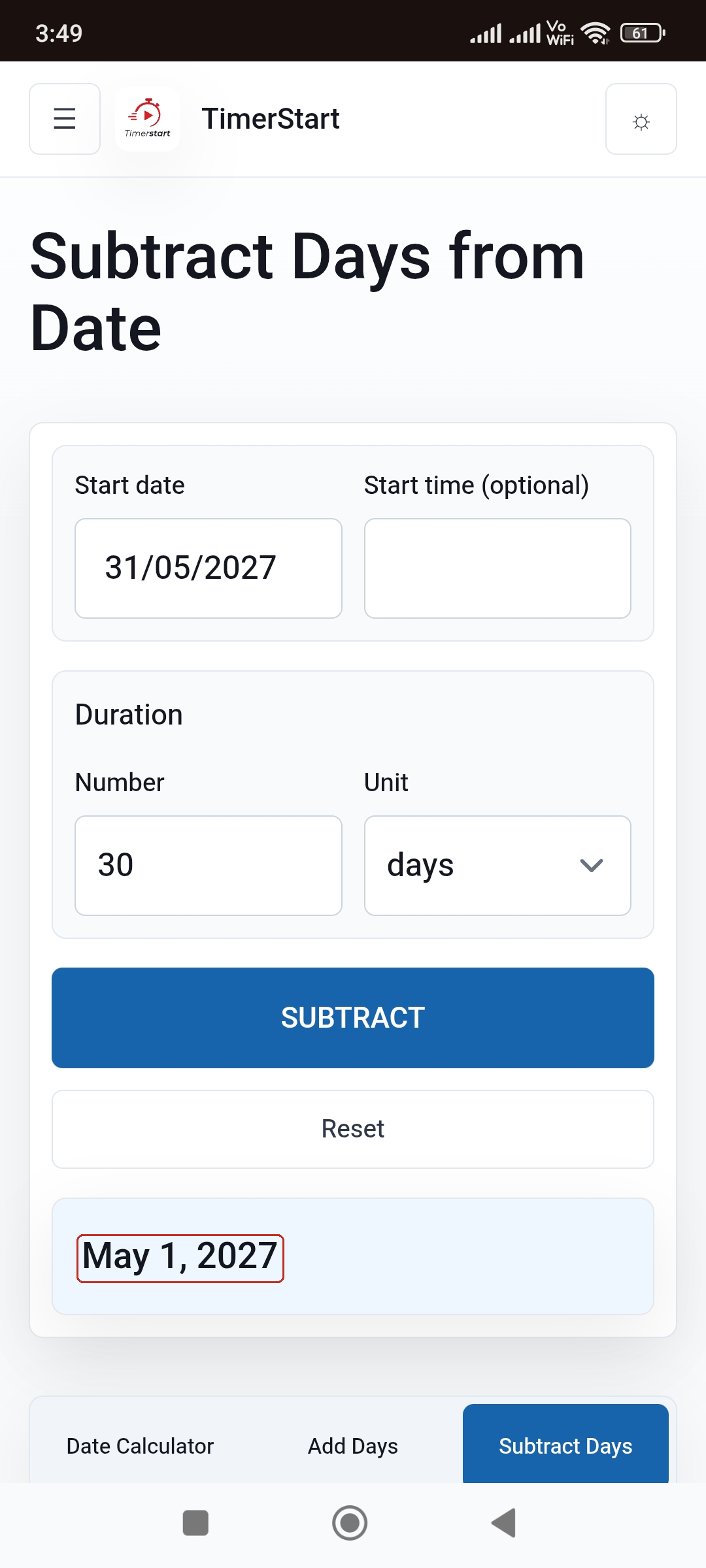
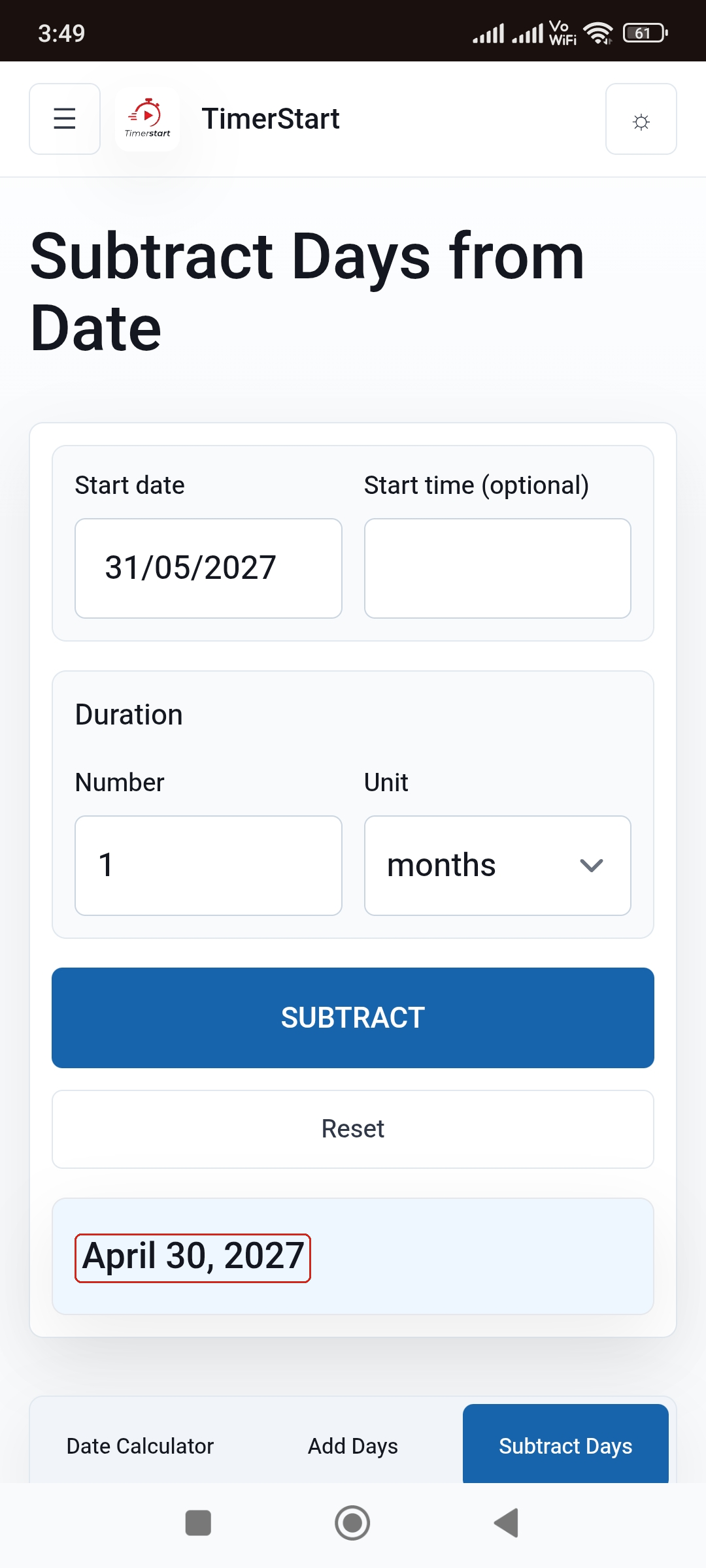
The same logic applies backward: May 31, 2027 minus 30 days equals May 1, 2027, while minus 1 month becomes April 30, 2027 - the result adjusts to the final valid date of the target month.
Swipe or scroll to compare the fixed-day result with the calendar-month result.
Fifty-Two Weeks vs One Year, and 365 Days vs One Year
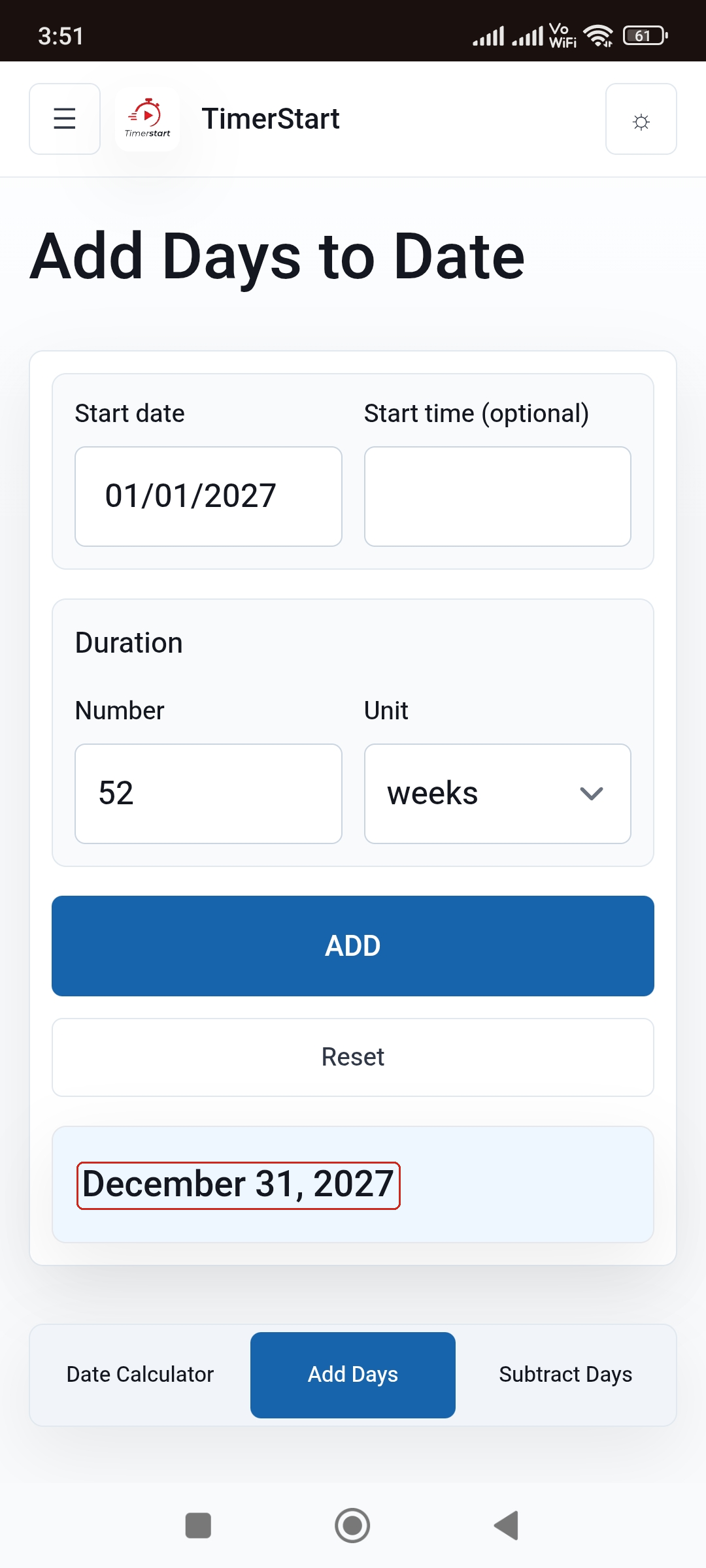
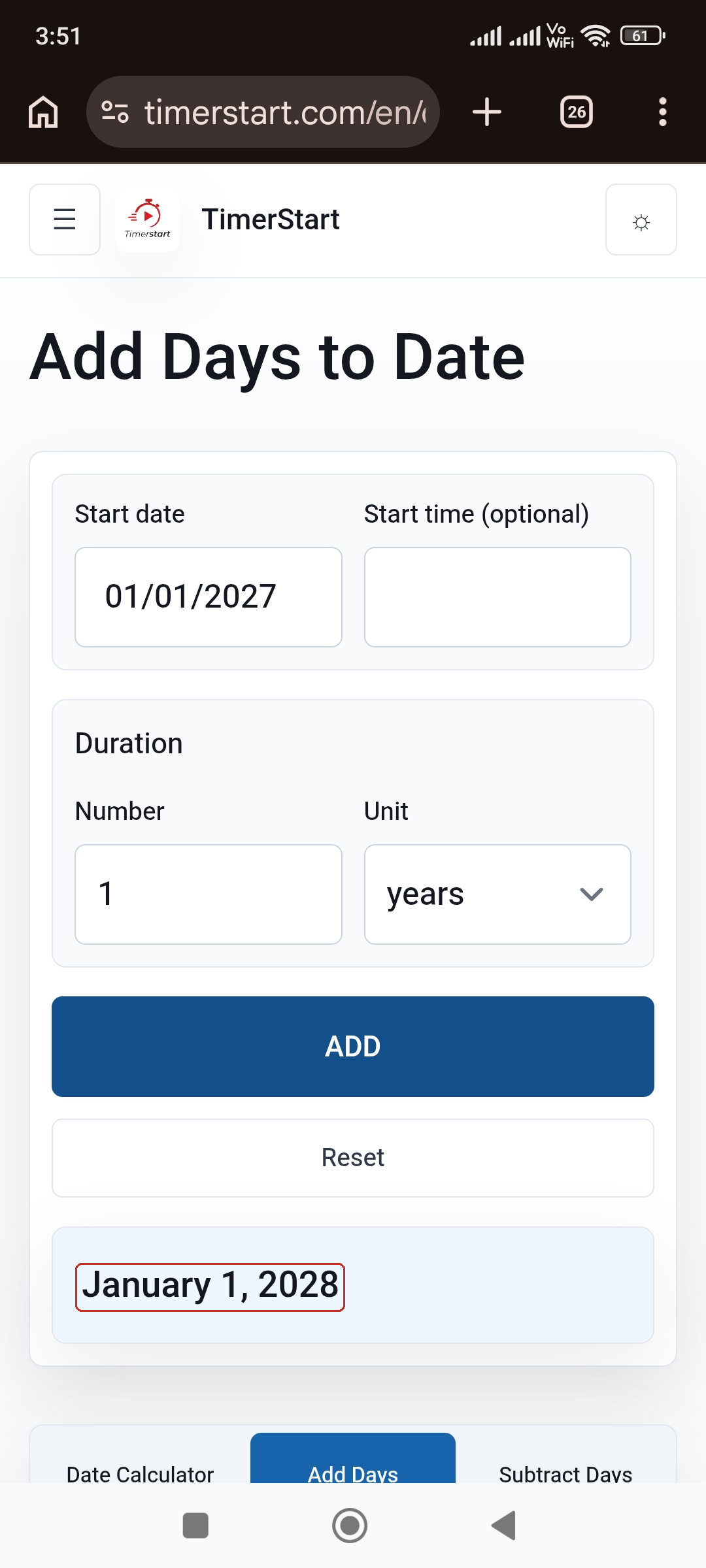
Fifty-two weeks is 364 days - one short of a common year. January 1, 2027 plus 52 weeks equals December 31, 2027, while plus 1 year equals January 1, 2028.
Leap years create a similar gap with fixed day counts: March 1, 2027 plus 365 days equals February 29, 2028, while plus 1 year equals March 1, 2028 - a one-day difference, because the period crosses into a leap year. Fixed days measure an exact count; a calendar year moves to the corresponding date regardless of how many days that takes.
Swipe or scroll to compare 52 weeks with one calendar year.
Should You Add or Subtract the Duration?
Direction is a separate choice from unit. Use Add to plan a future deadline or move forward from a start date. Use Subtract to work backward from a deadline or reconstruct an earlier milestone.
Using TimerStart's Add and Subtract Calculators
To move forward: open the Add Days Calculator, select the start date, enter the amount, choose days, weeks, months, or years, and review any month-end adjustment.
To move backward: open the Subtract Days Calculator, select the reference date, enter the amount, choose the unit, and review any shorter-month adjustment. For a broader start/end comparison, use the Date Calculator.
Calendar Days vs Business Days Is a Separate Decision
Calendar days include weekends; business days commonly exclude them, and holiday treatment depends on the applicable rule. Selecting "days" doesn't automatically mean business days - TimerStart works with calendar dates. See calendar days versus business days for that separate question.
Boundary-Date Counting Is Also Separate
Unit selection determines the calendar unit; Add or Subtract determines direction; whether the start or end date itself counts toward the total is a separate inclusive/exclusive question. For that question, see should you include the end date when counting days between dates. Official rules may define their own method there too.
A Practical Unit-Selection Table
| Situation | Recommended unit | Reason |
|---|---|---|
| Instruction says "14 calendar days" | Days | Exact day count is stated |
| Program lasts "6 weeks" | Weeks | Seven-day blocks |
| Renewal occurs "3 months later" | Months | Calendar-month movement |
| Review occurs "2 years earlier" | Years | Calendar-year movement |
| Need a later date | Add | Move forward |
| Need an earlier date | Subtract | Move backward |
| Need weekdays only | Separate business-day method | Weekends aren't excluded automatically |
| Official deadline | Verify the governing rule | A calculator can't interpret the document |
What Each Unit Means
| Unit | How it behaves | Main caution |
|---|---|---|
| Days | Fixed calendar-day movement | May include weekends |
| Weeks | Fixed blocks of seven days | Four weeks is only 28 days |
| Months | Calendar-month movement | Varies from 28 to 31 days |
| Years | Calendar-year movement | Leap years hold 366 days |
Common Mistakes When Choosing a Date Unit
- Replacing 30 days with one month, or four weeks with one month
- Replacing 52 weeks with one year, or treating every year as 365 days
- Selecting months when the instruction says days, or the reverse
- Ignoring shorter-month adjustment or February 29
- Confusing Add with Subtract, or assuming weekends are excluded
- Using an ambiguous numeric date instead of a written month name
A Simple Checklist Before You Calculate
- What exact unit does the instruction use?
- Is the duration exact or approximate?
- Are you moving forward or backward?
- Could the result fall near the end of a month, or involve February 29?
- Does "days" mean calendar days or business days here?
- Is an official counting rule involved?
Use days for exact calendar-day counts, weeks for fixed seven-day periods, months for calendar-month instructions, and years for calendar-year instructions. Verify separately for business days and official rules.
FAQs About Date Calculator Units
These answers cover common questions about choosing days, weeks, months, or years in a date calculator.
Which unit should I use in a date calculator?
Match it to the exact wording of your instruction.
Is one week always seven days?
Yes, always.
Is four weeks the same as one month?
No - four weeks is always 28 days, while a month can be 28 to 31.
Is 30 days the same as one month?
Not necessarily - it depends on the starting and target months.
Is 52 weeks the same as one year?
Not exactly - 52 weeks is 364 days, one short of a common year.
Is 365 days the same as one year?
Usually, but not across a leap year.
Is 12 months the same as one year?
Generally yes, though leap-day cases deserve a check.
What happens when a target month is shorter?
The result adjusts to that month's final valid day.
How does February 29 affect a year calculation?
It may not exist in the target year, in which case the result adjusts to February 28.
Should I add or subtract the duration?
Add for a later date, subtract for an earlier one.
Do weekends count when I select days?
Yes - calendar days include weekends by default.
Can I use a date calculator for an official deadline?
Use it as a starting point, but confirm anything high-stakes with the relevant authority.
Related Reading
For more examples, see how to add days to a date without counting manually, how to subtract days from a date without counting manually, what date is 120 or 180 days from today, and what date was 120 or 180 days ago.