

How to Subtract Weeks, Months, or Years From a Date
Subtracting a fixed number of days from a date is simple arithmetic. Subtracting weeks, months, or years is a little different, because months do not all have the same length, years can have 365 or 366 days, and a date like July 31 does not always have an equivalent a month earlier. Here is how to subtract these larger calendar units correctly, and what happens at the edges.
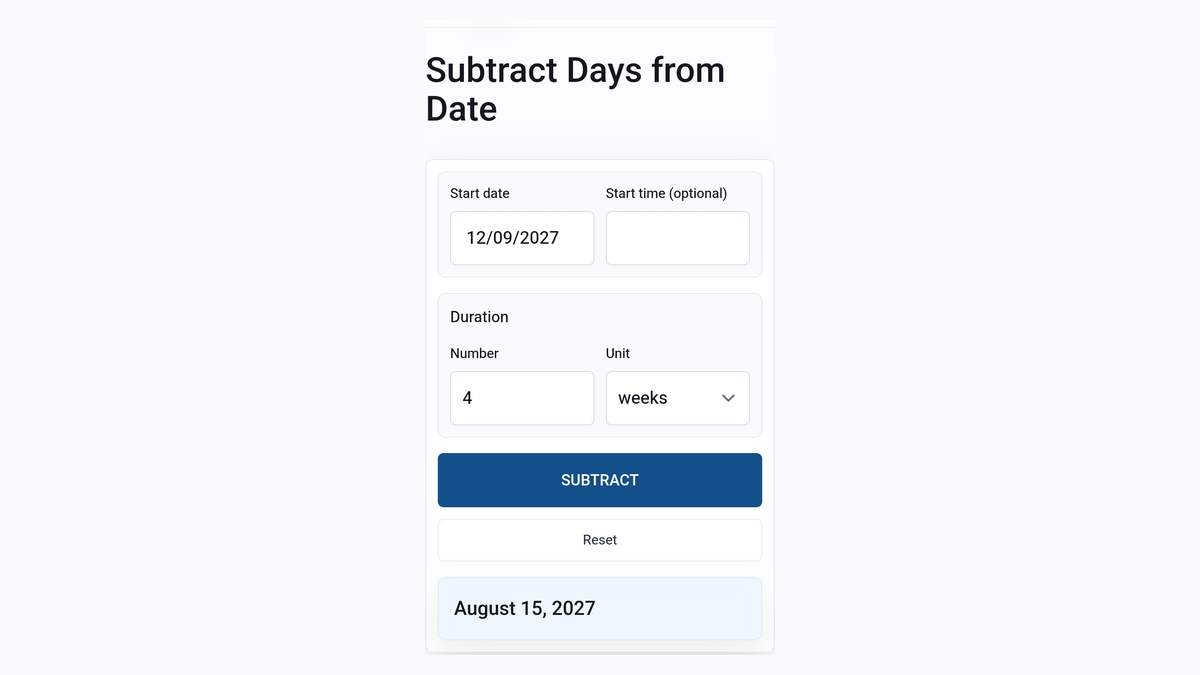
Quick Answer: How to Subtract Weeks, Months, or Years
Choose the reference date, enter the amount to subtract, select weeks, months, or years, calculate the result, and check for a month-end or leap-year adjustment if relevant.
September 12 minus 4 weeks equals August 15. July 31, 2027 minus 5 months equals February 28, 2027. September 22, 2027 minus 2 years equals September 22, 2025. The result depends on both the unit you choose and the reference date.
Enter your reference date in TimerStart's Subtract Days Calculator, choose weeks, months, or years, and calculate the earlier date directly.
- Choose the reference date
- Enter the amount to subtract
- Select weeks, months, or years
- Calculate the result
- Check for a month-end or leap-year adjustment if relevant
Calculate an Earlier Date
Use TimerStart's Subtract Days Calculator to subtract weeks, months, or years from any reference date.
What You Need Before Subtracting a Calendar Duration
Do not convert one unit into another unless the original requirement allows it. If an instruction says three months before, do not quietly treat that as 90 days - the calculator processes whichever unit you select, but it cannot decide which unit the original instruction actually meant.
- Reference date - the date the duration should be counted backward from
- Duration amount - the exact number stated
- Correct unit - weeks, months, years, or days
How to Use TimerStart to Subtract Weeks, Months, or Years
Open the Subtract Days Calculator, select your reference date, enter the amount, choose weeks, months, or years, calculate the result, and check whether a shorter-month adjustment occurred.
Fixed example: July 31, 2027 minus 5 months gives February 28, 2027 - a good one to try first, since it shows a confirmed and important month-end rule working in reverse.
- Open the Subtract Days Calculator
- Select your reference date
- Enter the amount
- Choose weeks, months, or years
- Calculate the result
- Check whether a shorter-month adjustment occurred
Set Up the Subtract Days Calculator
Swipe or scroll through the setup steps.
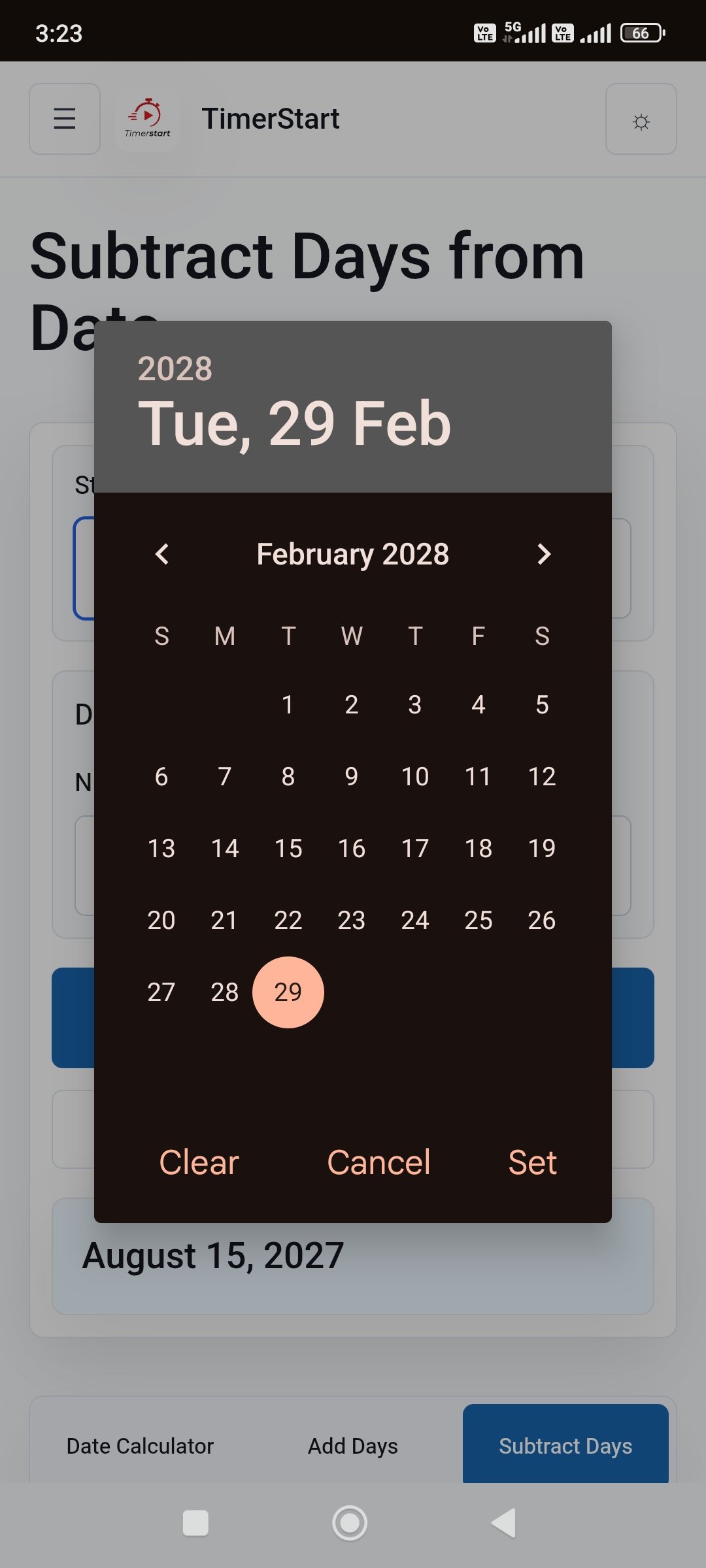
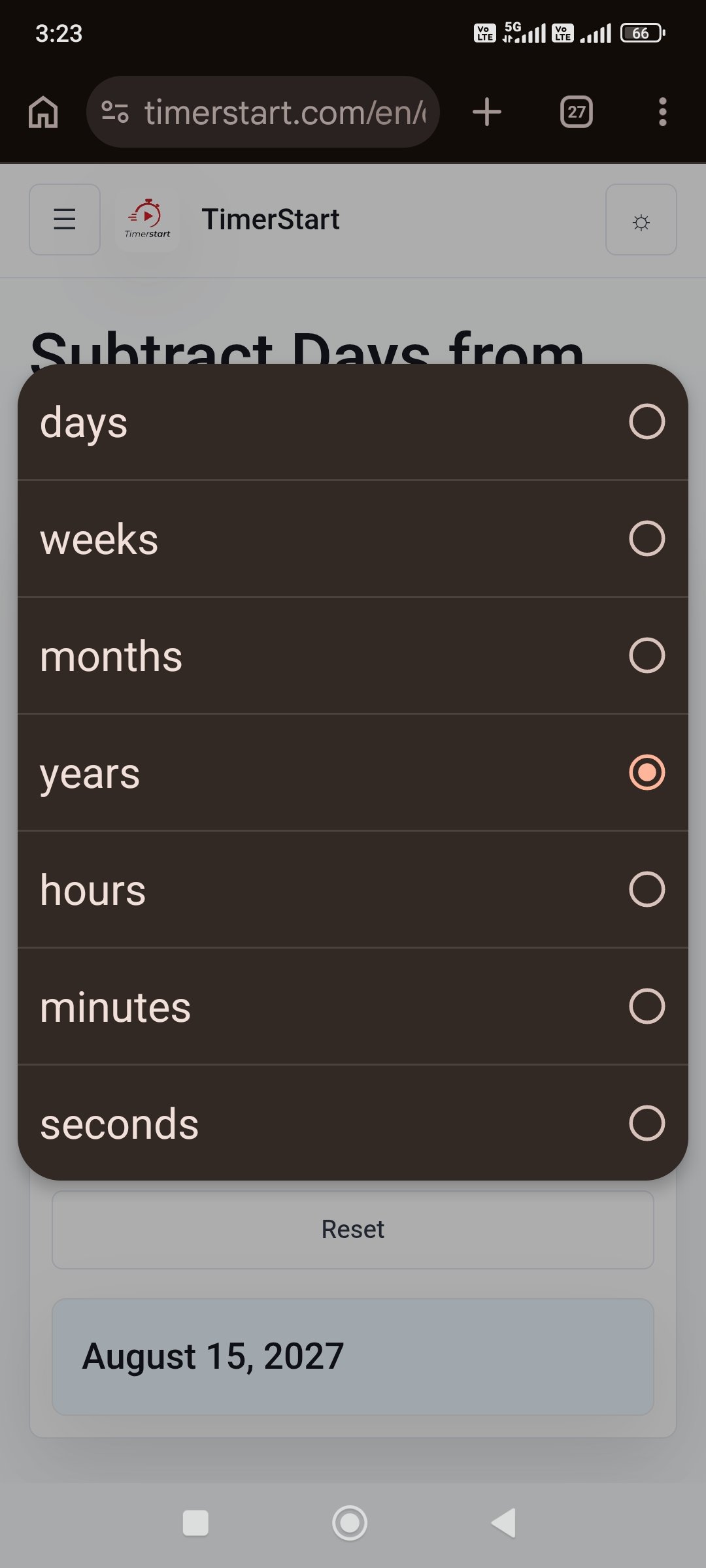
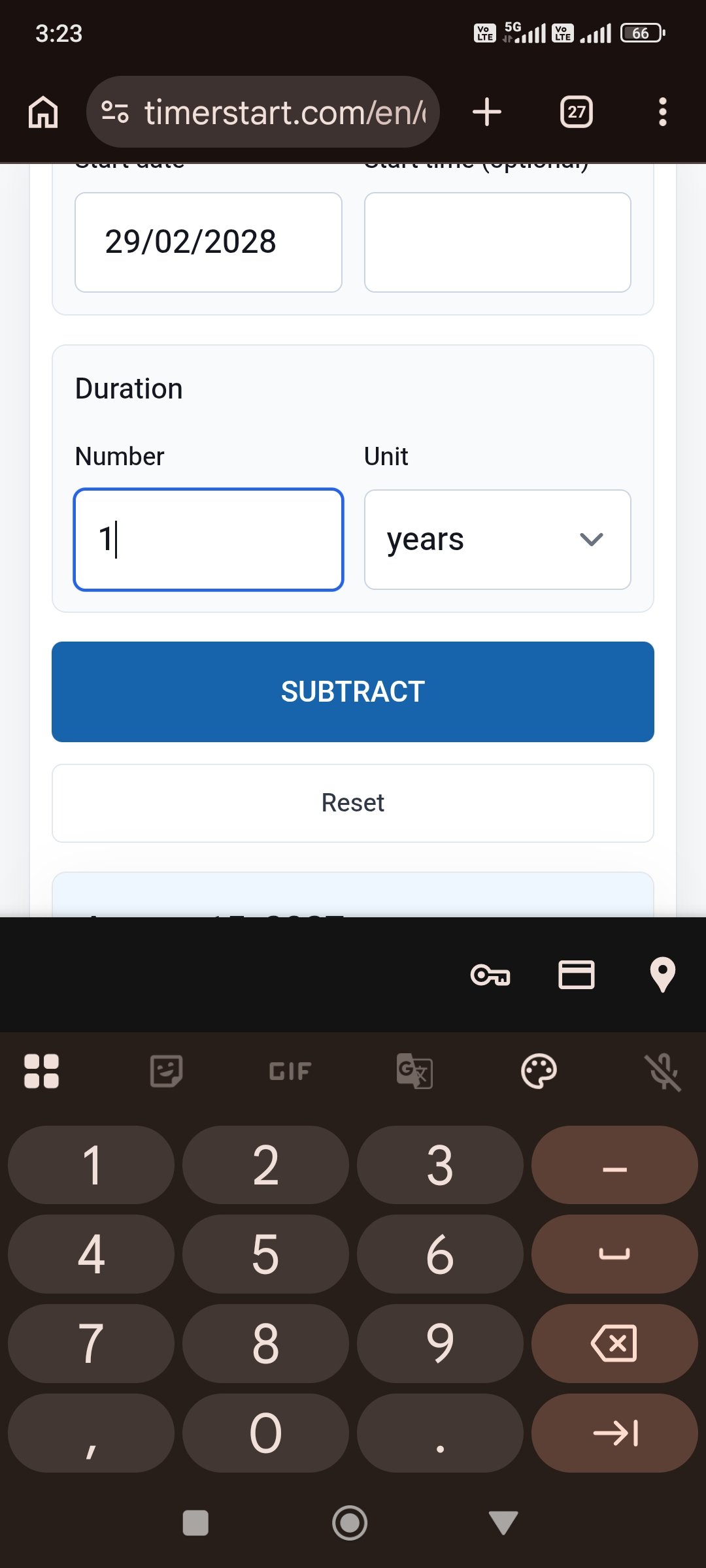
Watch: Subtract Weeks, Months, or Years From a Date
You can also watch the TimerStart tutorial on YouTube if the embedded video does not load.
How to Subtract Weeks From a Date
One week is seven calendar days. Multiply the number of weeks by seven to see the elapsed-day length, though the calculator handles that for you. The result can cross a month or year boundary, and subtracting whole weeks normally preserves the weekday.
Weeks are fixed seven-day periods - that is what makes them different from calendar months.
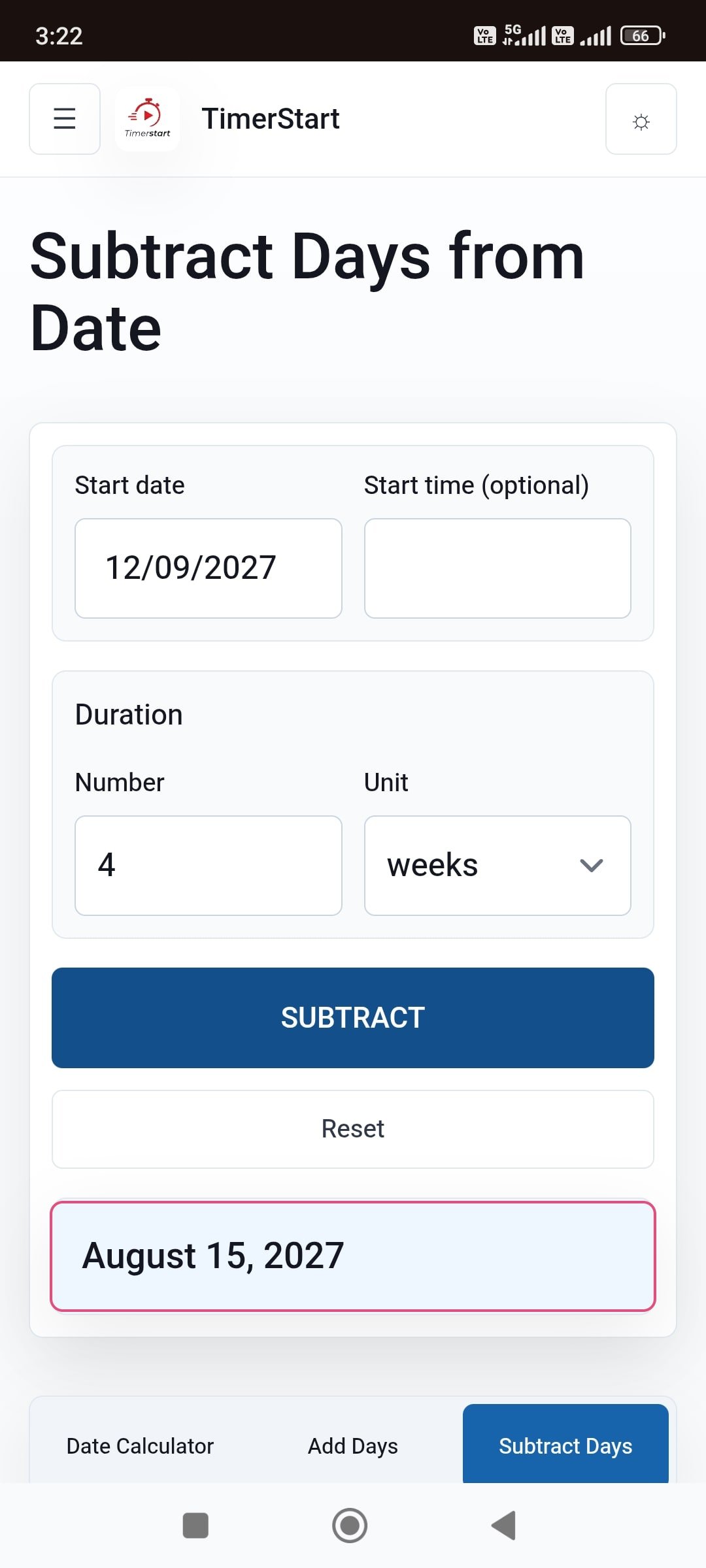
- September 12 - 4 weeks = August 15
- October 10 - 6 weeks = August 29
- January 15, 2028 - 10 weeks = November 6, 2027
How to Subtract Months From a Date
Subtracting months moves the date backward by that many calendar months, trying to preserve the original day number. Since month lengths vary, the result can land in a previous year, and a shorter target month may not contain the original day at all - in that case, TimerStart uses the final valid date of the target month.
Subtracting a month means moving backward by a calendar month, not automatically subtracting 30 days.
- November 8 - 2 months = September 8
- February 20, 2028 - 4 months = October 20, 2027
- July 31, 2027 - 5 months = February 28, 2027
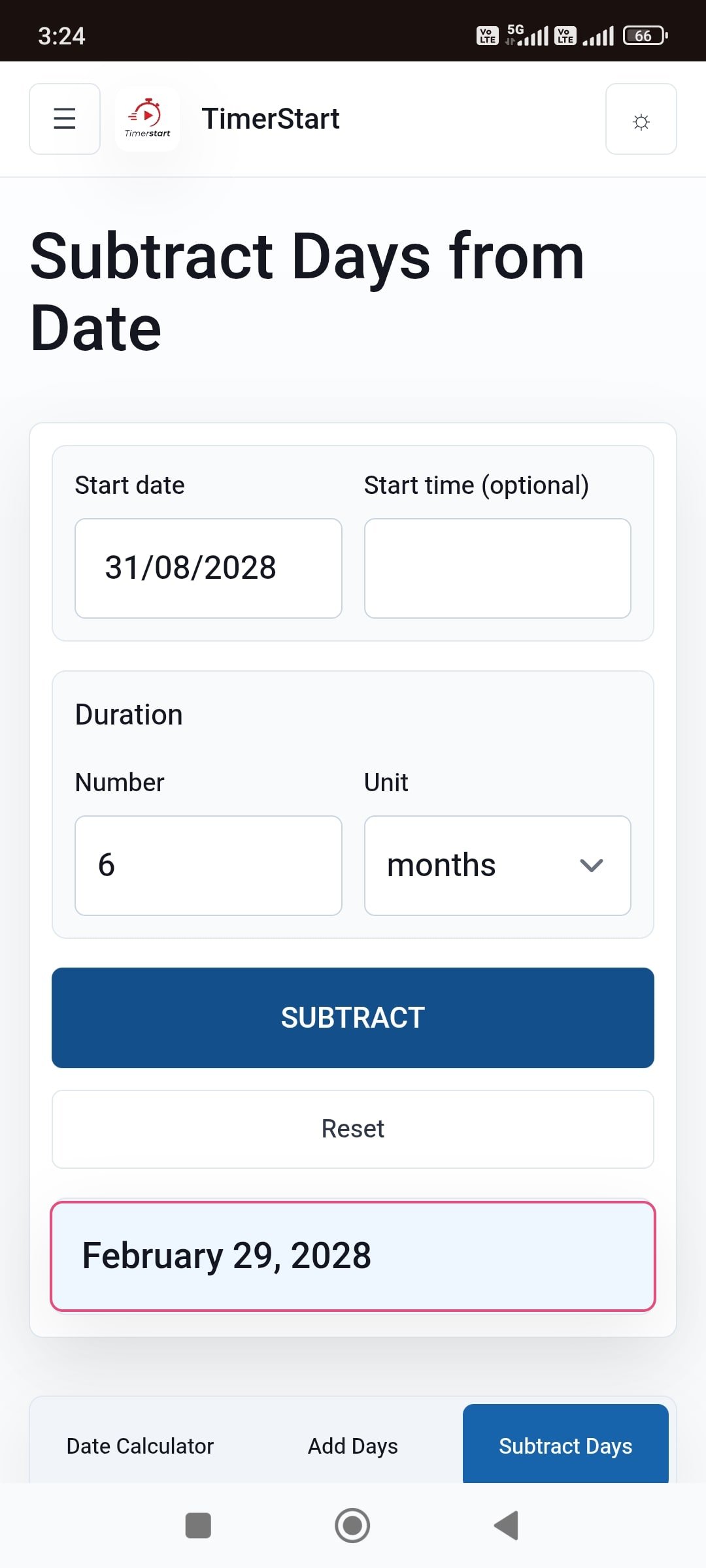
- August 31, 2028 - 6 months = February 29, 2028
What Happens When the Earlier Month Is Shorter?
Months have 28, 29, 30, or 31 days, so the day you started on does not always exist a month or more earlier. When that happens, TimerStart's result is adjusted to the final valid day of the target month - not rounded, just adjusted to the closest real date.
Confirmed pattern: December 31, 2026 minus 10 months becomes February 28, 2026. The same applies to July 31, 2027 minus 5 months (February 28, 2027), August 31, 2028 minus 6 months (February 29, 2028, since 2028 is a leap year), and May 31, 2027 minus 3 months (February 28, 2027).
Not every date calculator handles this the same way, so it is worth checking how any tool you use treats these edge cases.
How to Subtract Years From a Date
Subtracting years moves the calendar year backward while preserving the month and day where possible. The result can cross one or more leap years, and February 29 needs special handling since it does not exist every year.
Subtracting years is a calendar operation, not simply subtracting a fixed number of days.
- September 22, 2027 - 2 years = September 22, 2025
- December 31, 2027 - 1 year = December 31, 2026
- March 1, 2032 - 5 years = March 1, 2027
What Happens When You Subtract a Year From February 29?
February 29 only exists in leap years, so subtracting a year from it needs the same kind of adjustment as a month-end date. TimerStart uses the final valid day of February in the target year.
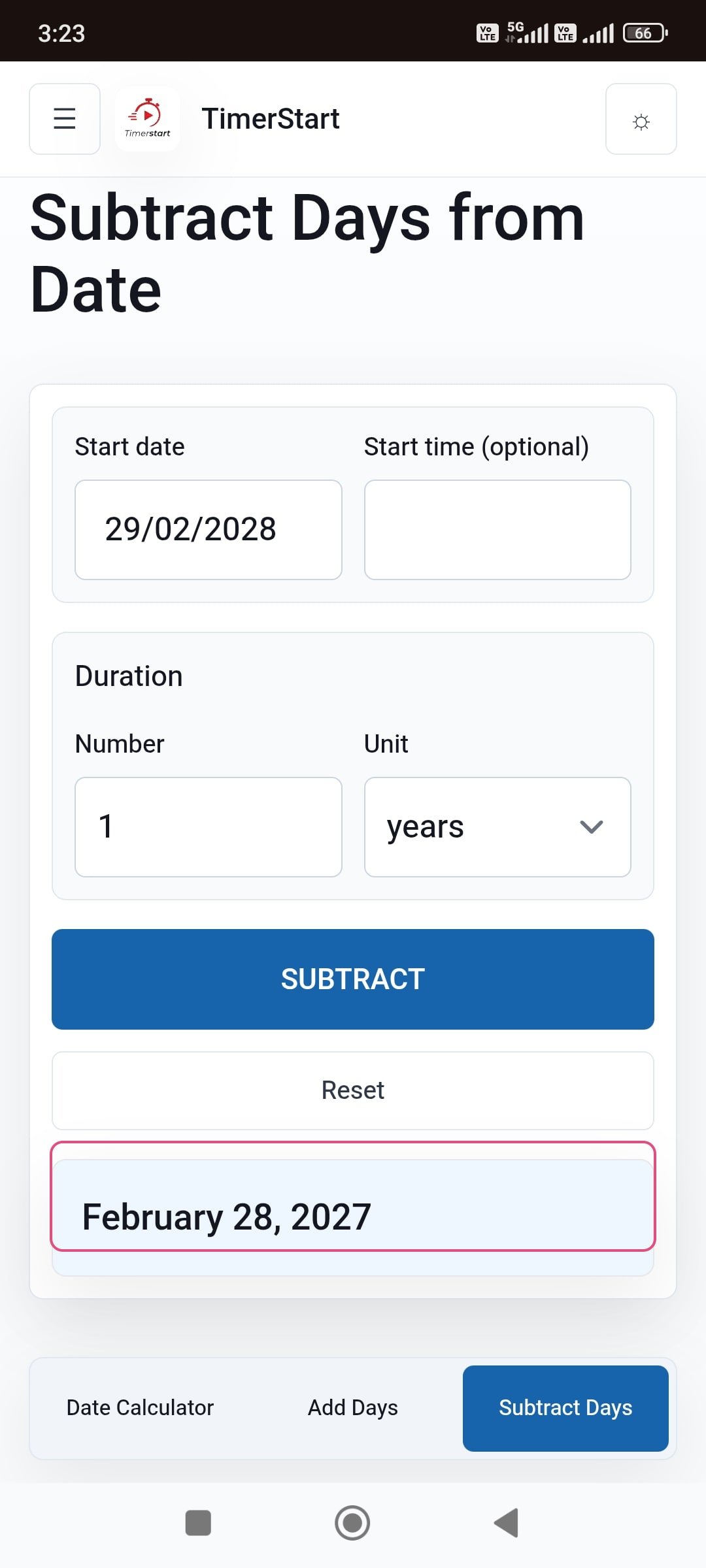
February 29, 2028 minus 1 year equals February 28, 2027, since 2027 is not a leap year. February 29, 2028 minus 4 years equals February 29, 2024, since 2024 is a leap year and the date lines up again. Whether the result lands on February 28 or February 29 depends entirely on whether the target year happens to be a leap year.
Weeks, Months, and Years Are Not Interchangeable
Four weeks is exactly 28 days, but a calendar month can be 28, 29, 30, or 31 days - so four weeks and one month rarely match exactly. Fifty-two weeks is 364 days, while a common year has 365 and a leap year has 366, so 52 weeks is not quite one calendar year either.
January 1, 2028 minus 52 weeks lands on January 2, 2027, while January 1, 2028 minus 1 year lands on January 1, 2027 - a one-day difference. When an instruction specifies a unit, use that exact unit rather than converting it to another one that seems close enough.
Is Subtracting 12 Months the Same as Subtracting One Year?
For most ordinary dates, yes: April 17, 2028 minus 12 months and April 17, 2028 minus 1 year both give April 17, 2027. But leap-day starting points deserve extra attention, and if you are combining several units in one calculation, the order they are applied in can matter. When in doubt, use the exact unit stated in the original requirement rather than assuming the two are always interchangeable.
Practical Uses
Weeks: working backward from a deadline, finding a course start date, planning event preparation. A deadline on September 12 with four weeks of preparation time starts August 15.
Months: finding the start of a subscription period, reviewing previous billing dates. A review dated May 31, 2027 with a three-month earlier milestone lands on February 28, 2027 using the shorter-month rule - not simply 90 days before.
Years: finding a previous renewal date, reconstructing an anniversary. A two-year-earlier point from September 22, 2027 falls on September 22, 2025. Contracts and official documents may define their periods differently, so verify anything important with the relevant source.
Common Mistakes When Subtracting Weeks, Months, or Years
- Treating four weeks as one month, or 52 weeks as one year
- Assuming every month has 30 days or every year has 365
- Forgetting about February 29 in leap-year calculations
- Expecting a 31st-day date to still land on the 31st after subtracting into a shorter month
- Selecting the wrong unit - days instead of weeks, or months instead of years
- Using an ambiguous date format like 07/31/2027 instead of July 31, 2027
- Assuming every calculator applies the same month-end rule
- Entering a negative value instead of using the subtraction workflow directly
- Using a calendar result for an official deadline without checking the actual rule
Use TimerStart to Calculate an Earlier Date
Select your reference date, enter the amount, and choose weeks, months, or years in the Subtract Days Calculator. Check for a shorter target month or a leap-year adjustment, especially around February.
Moving forward instead? Use the Add Days Calculator. For fixed day counts rather than calendar units, see how to subtract days from a date or 30, 60, or 90 days ago.
Download the Quick-Reference Guide
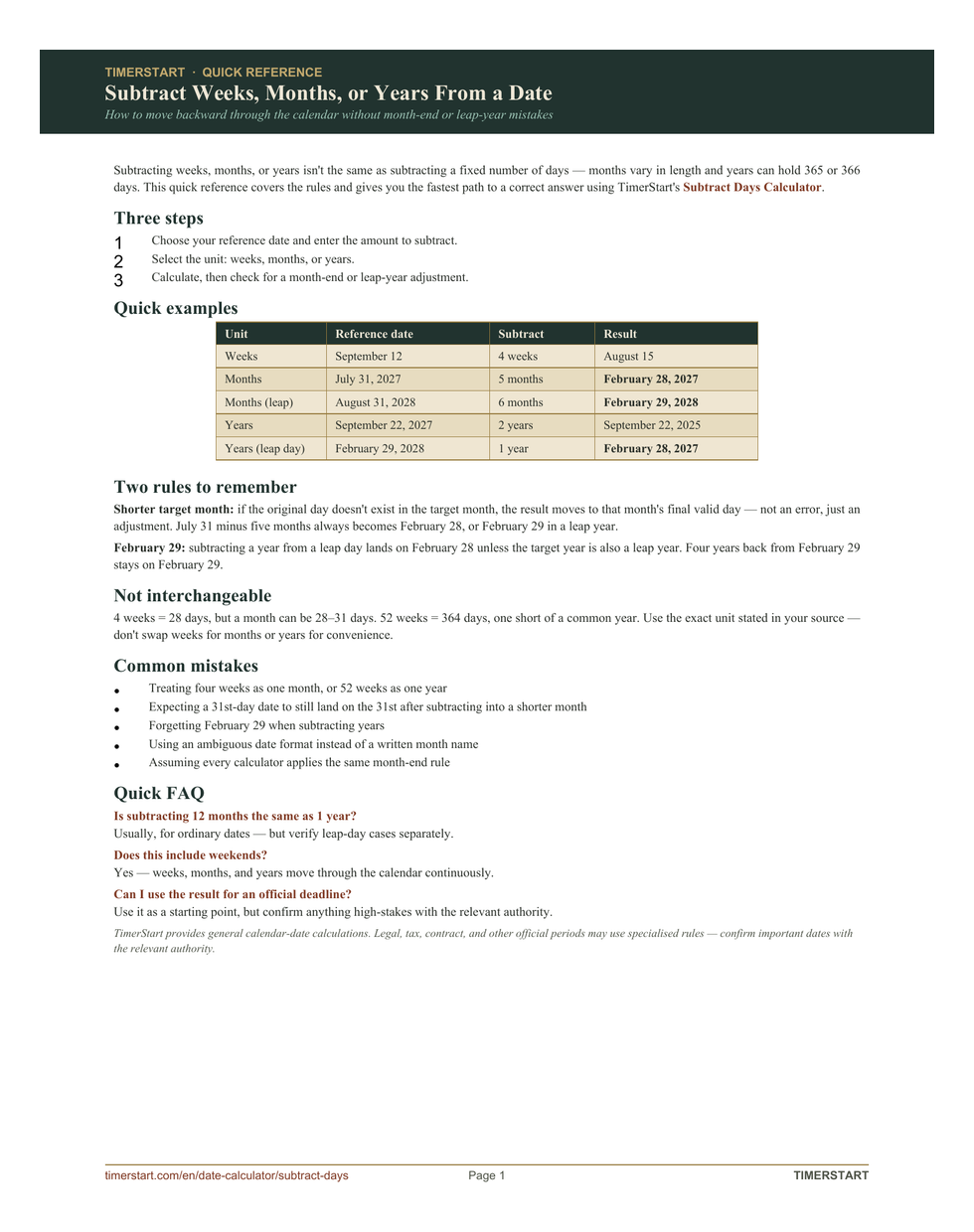
Use the printable reference when you want the month-end and leap-year examples nearby. Download the quick-reference PDF and keep it with your date calculation notes.
Related Reading
Compare this with how to add weeks, months, or years to a date, review which date calculator unit to use, or see how to subtract hours, minutes, or seconds from a date and time.
FAQs About Subtracting Weeks, Months, or Years
These answers cover common questions about subtracting weeks, months, or years from a reference date.
How do I subtract weeks from a date?
Each week moves the date backward exactly seven days, and the result can cross into a previous month or year.
How do I subtract months from a date?
Move backward by that many calendar months; if the target month is shorter, the result adjusts to its final valid day.
How do I subtract years from a date?
Move the year backward while keeping the month and day, except for February 29, which adjusts if the target year is not a leap year.
Can I start from a date other than today?
Yes - choose any reference date first.
Is four weeks the same as one month?
No - four weeks is always 28 days, while a month can be 28 to 31 days.
Is 52 weeks the same as one year?
Not exactly - 52 weeks is 364 days, one day short of a common year.
Is subtracting 12 months the same as subtracting one year?
Usually, for ordinary dates - but verify leap-day cases separately.
What happens when a subtraction lands in a shorter month, like February?
The result adjusts to that month's final valid day - February 28, or February 29 in a leap year.
What happens when I subtract one year from February 29?
It lands on February 28 unless the target year is also a leap year.
Does subtracting weeks include weekends?
Yes - weeks move through the calendar continuously.
Does the calculator account for leap years?
Yes, for both month and year calculations involving February.
Can I subtract weeks, months, and years together?
Depends on the tool's interface - check, or calculate them separately.
Can I enter a negative number?
No - use the Add Days Calculator to move forward instead.
Can I use the result for an official deadline?
Use it as a starting point, but confirm anything high-stakes with the relevant document or authority.
Final Disclaimer
TimerStart provides general calendar-date calculations. Legal, tax, immigration, medical, employment, contract, warranty, subscription, court, and other official periods may use specialised rules. Confirm important dates with the relevant document, organisation, authority, or qualified professional.