

How to Subtract Hours, Minutes, or Seconds From a Date and Time
Working out what time something happened a few hours ago seems straightforward until the calculation slips past midnight and lands on a different date entirely. Here's how to subtract hours, minutes, or seconds from a date and time correctly, including what happens when the result moves backward into the previous day, month, or year.
Quick Answer: How to Subtract Time From a Date
Choose the starting date, enter the starting time, enter the number of hours, minutes, or seconds to subtract, run the calculation, and review both the earlier date and the earlier time.
The result can stay on the same date, or move into the previous day, month, or year.
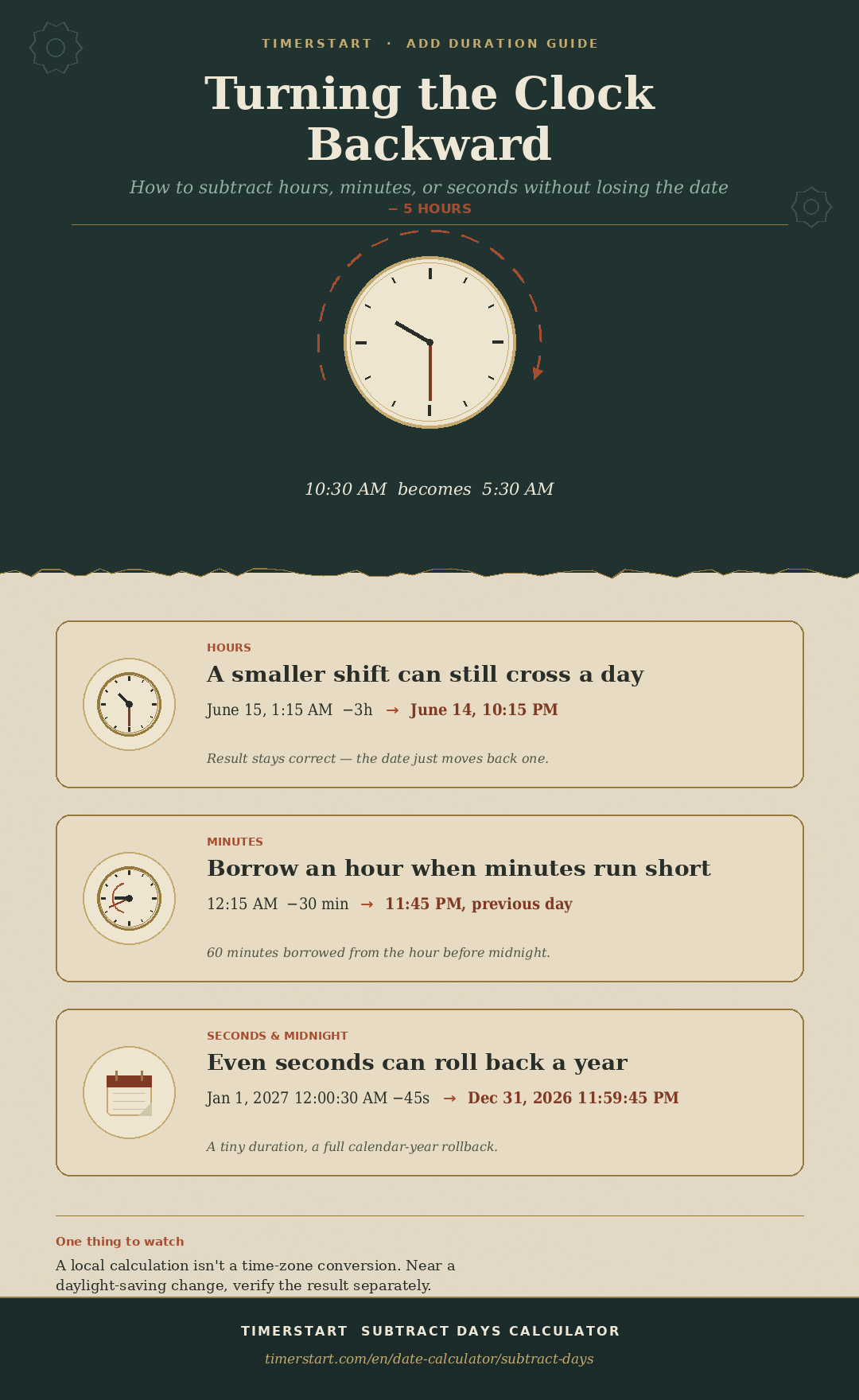
June 15 at 10:30 AM minus 5 hours equals June 15 at 5:30 AM. June 15 at 1:15 AM minus 3 hours equals June 14 at 10:15 PM - same duration, but the date moves backward too.
Enter your starting date and time in TimerStart's Subtract Days Calculator, select your time unit, and let it work out the earlier result.
Subtract Time From a Date Instantly
Use TimerStart's Subtract Days Calculator to enter a reference date and time, choose hours, minutes, or seconds, and check the earlier date and time.
What You Need Before Subtracting Time
The calculator processes these values instantly, but it can't correct a starting time that was entered wrong to begin with.
- Starting date - the reference date from the event, record, or schedule
- Starting time - the precise clock time to subtract from
- Duration - the exact number to subtract
- Correct unit - hours, minutes, or seconds
- AM or PM - confirm whether the reference time is morning or evening
- Local time or another time zone - check what the calculation is based on
How to Use TimerStart to Subtract Hours, Minutes, or Seconds
Open the Subtract Days Calculator, select your starting date and time, enter the amount to subtract, select hours, minutes, or seconds, calculate, and review the earlier date and time.
Fixed example: August 15, 2026 at 8:15 AM minus 6 hours gives August 15, 2026 at 2:15 AM.
Subtract Time in TimerStart
Swipe or scroll through the subtract-time examples.
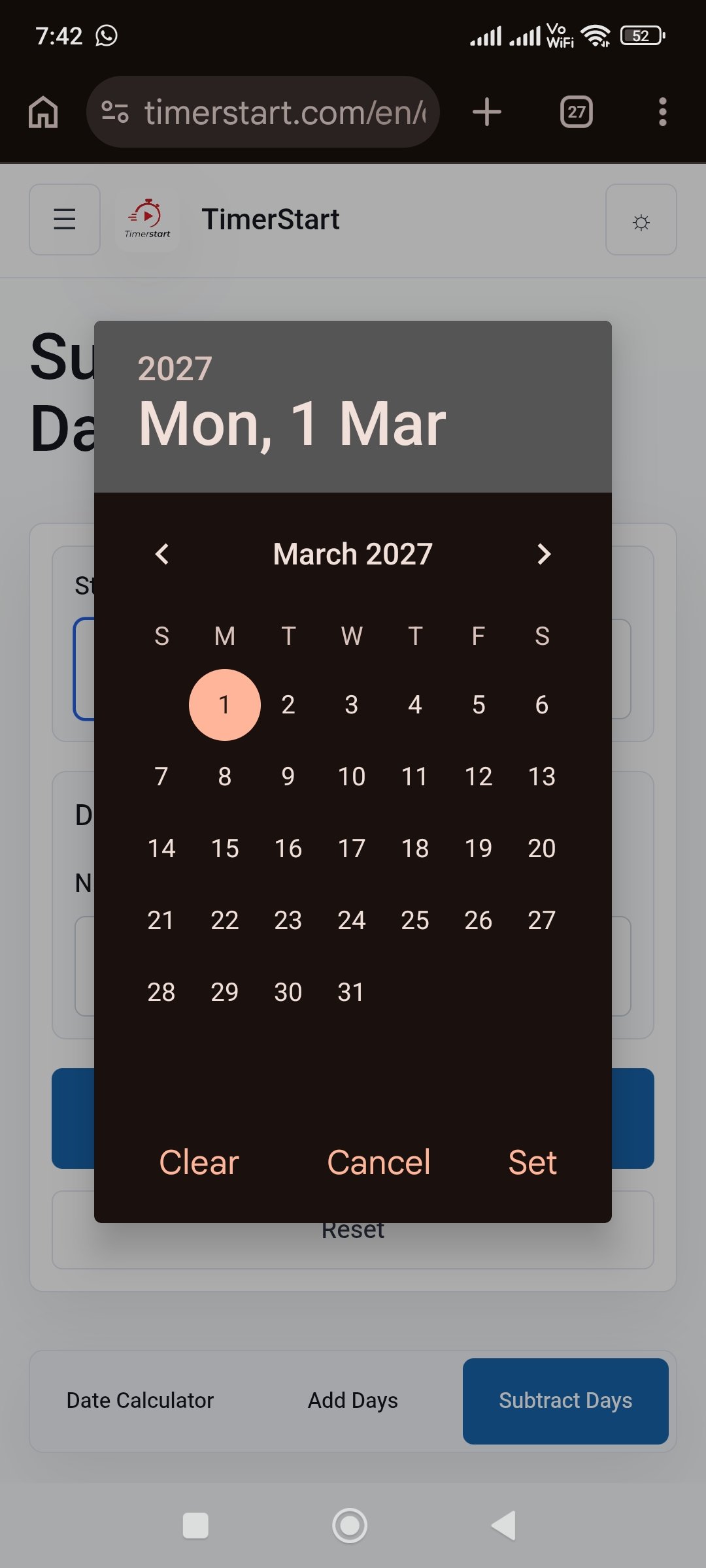
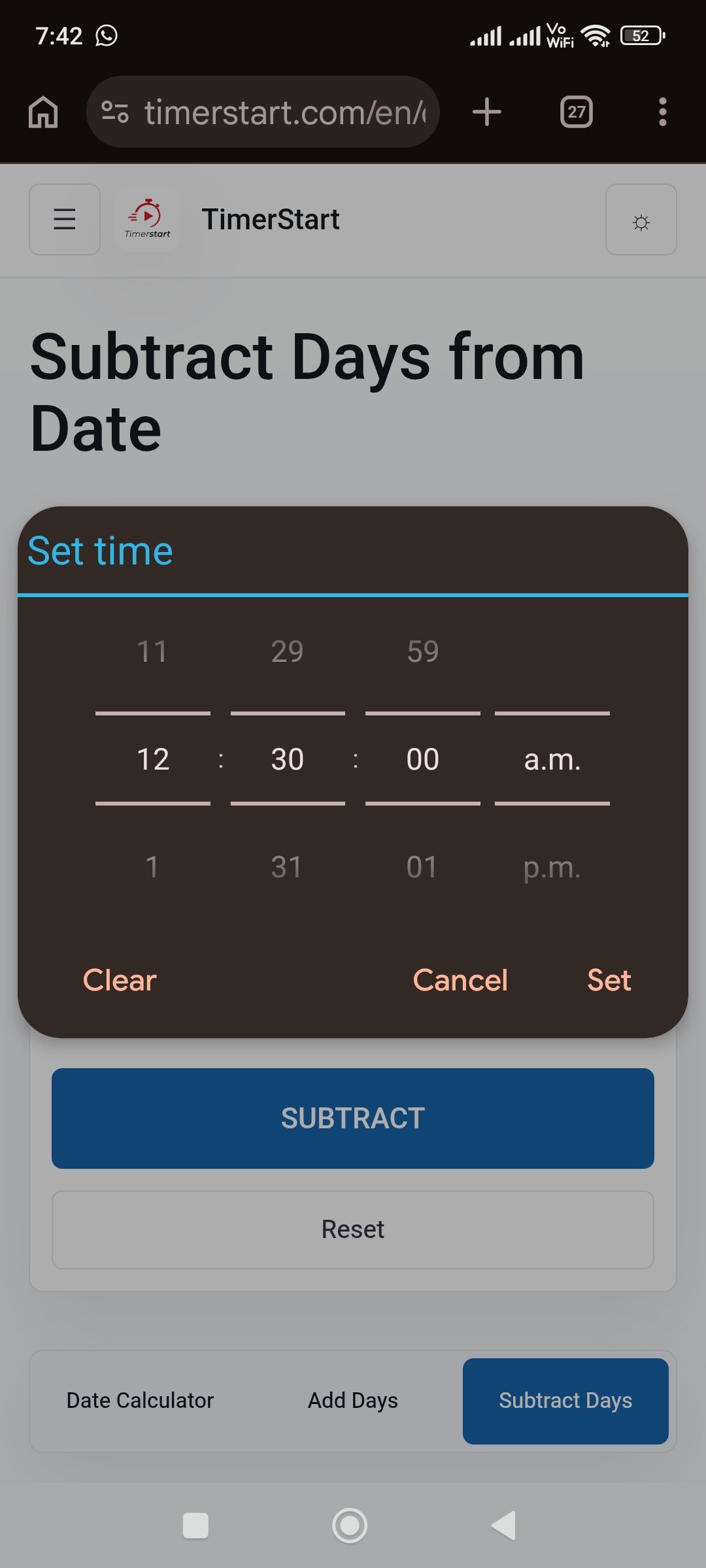
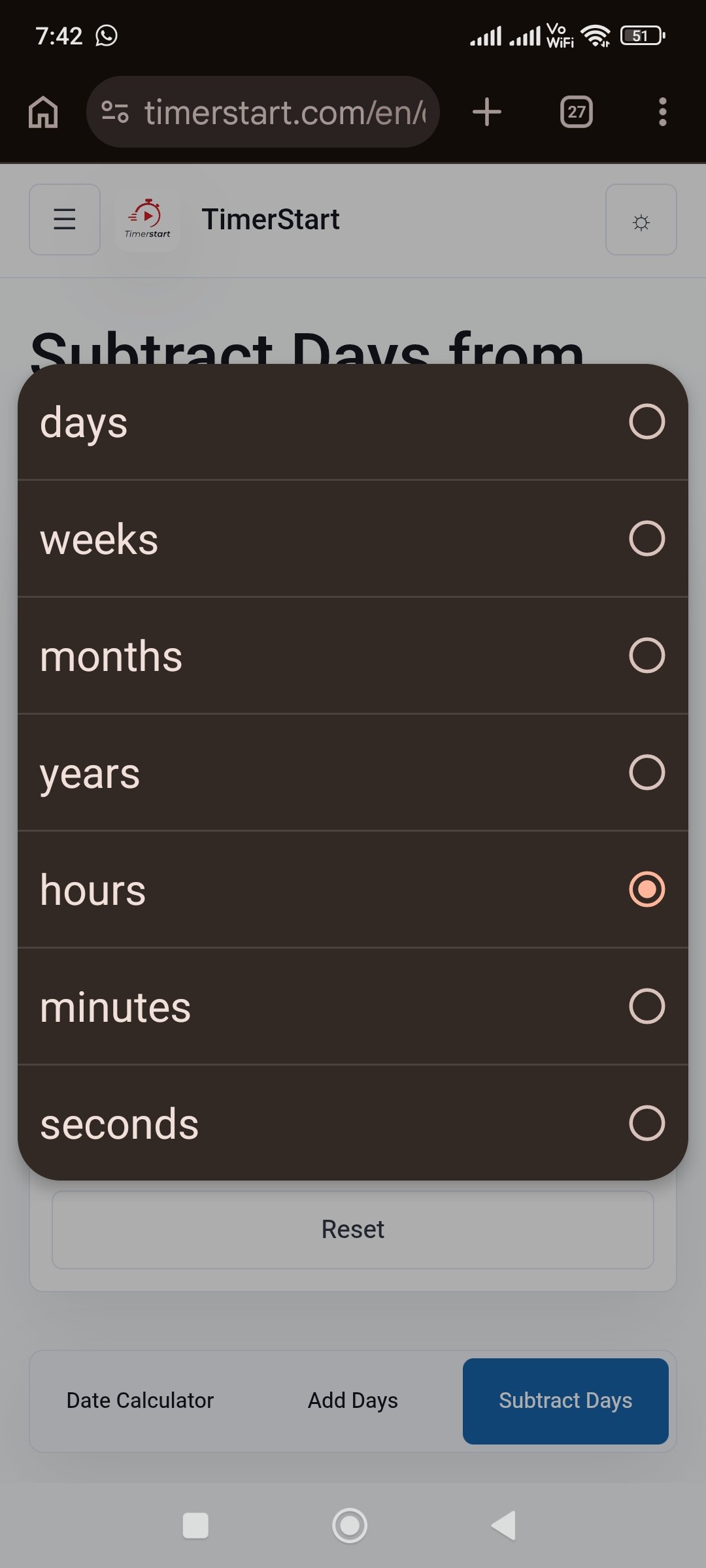
How to Subtract Hours From a Date and Time
Move backward from the reference date and time by the stated number of hours. A smaller number of hours can still cross into the previous day.
Subtracting hours isn't only clock arithmetic - the date can move backward too.
- June 15 at 10:30 AM - 5 hours = June 15 at 5:30 AM (same day)
- June 15 at 1:15 AM - 3 hours = June 14 at 10:15 PM (previous day)
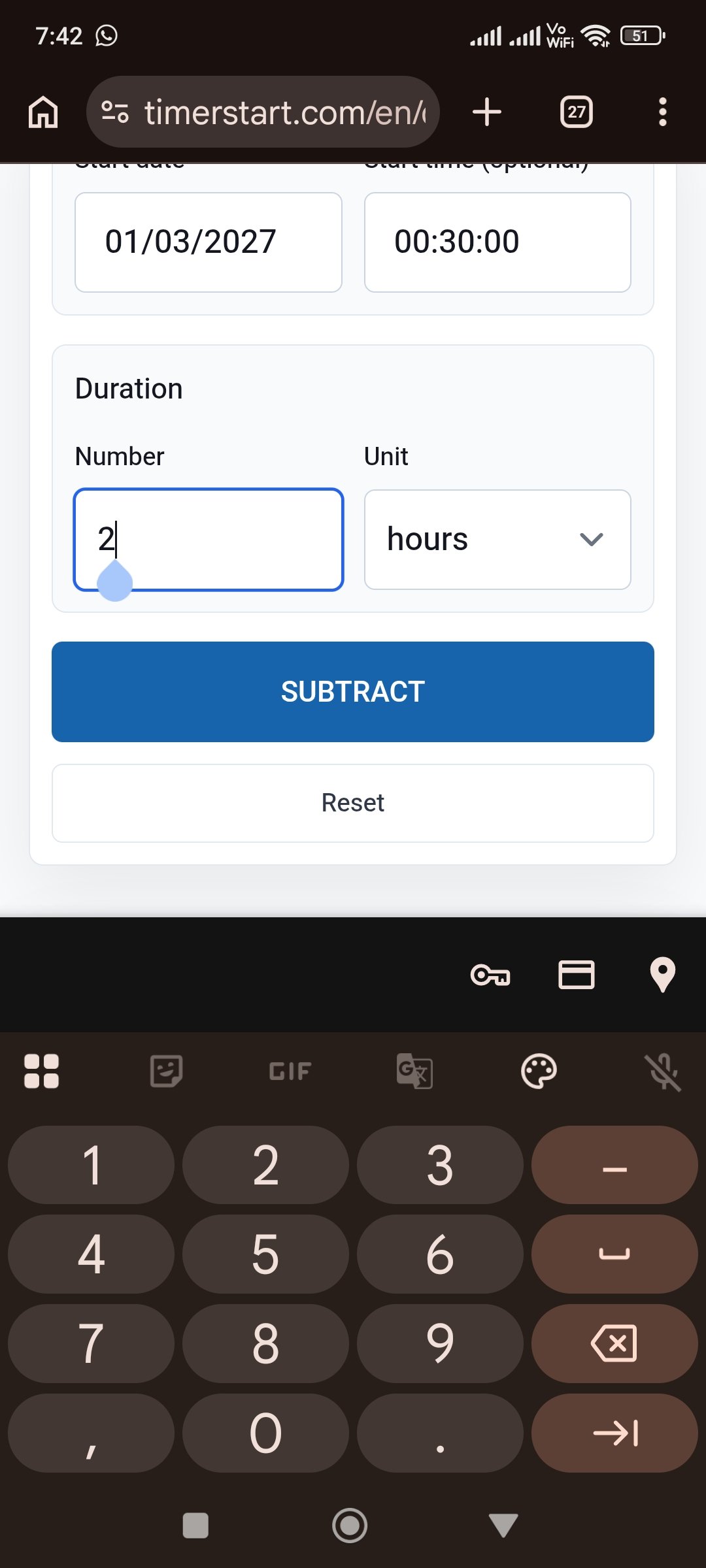
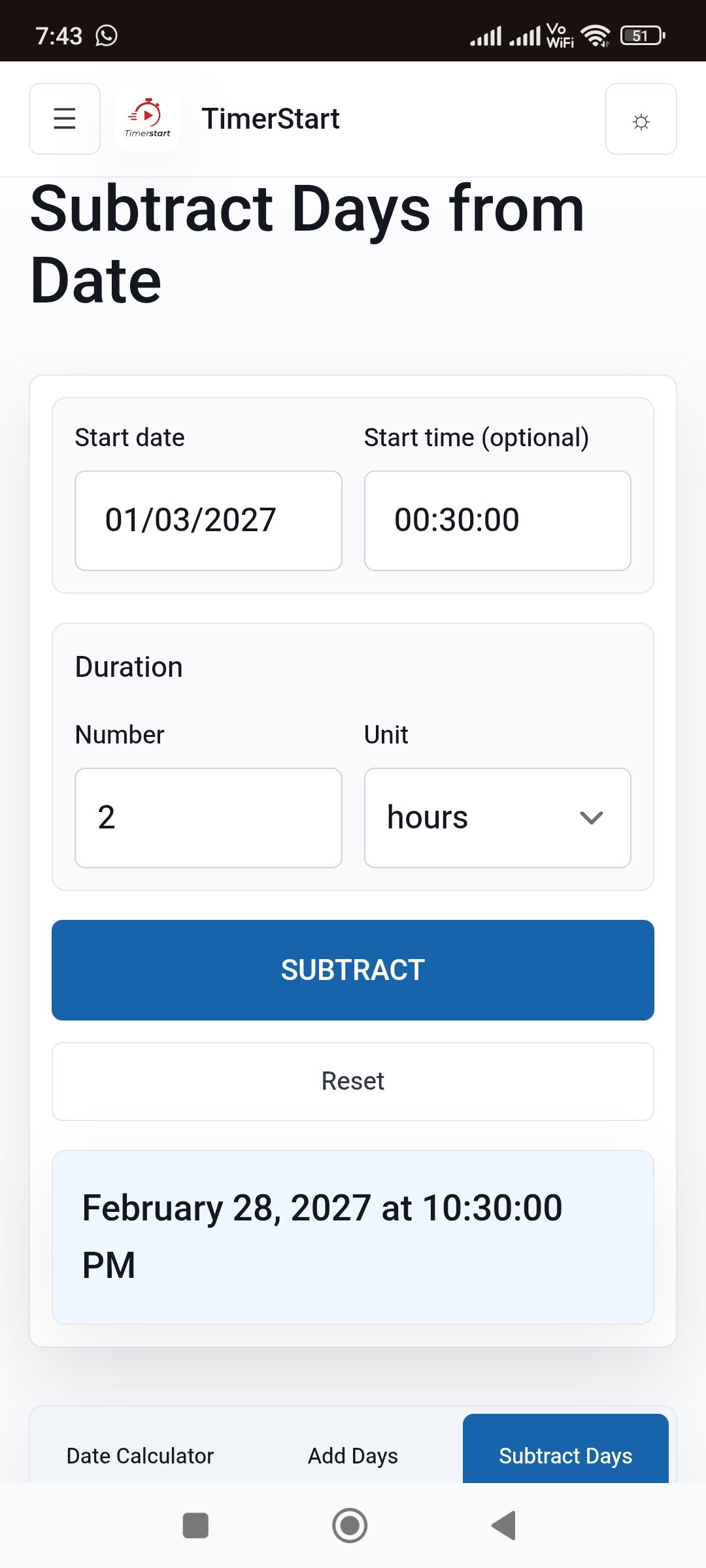
- March 1, 2027 at 12:30 AM - 2 hours = February 28, 2027 at 10:30 PM (previous month)
How to Subtract Minutes From a Date and Time
If the minutes being subtracted exceed the starting minute value, the calculation borrows an hour, which can carry the result past noon, midnight, or into the previous date.
- June 15 at 2:20 PM - 35 minutes = June 15 at 1:45 PM
- June 15 at 12:15 AM - 30 minutes = June 14 at 11:45 PM
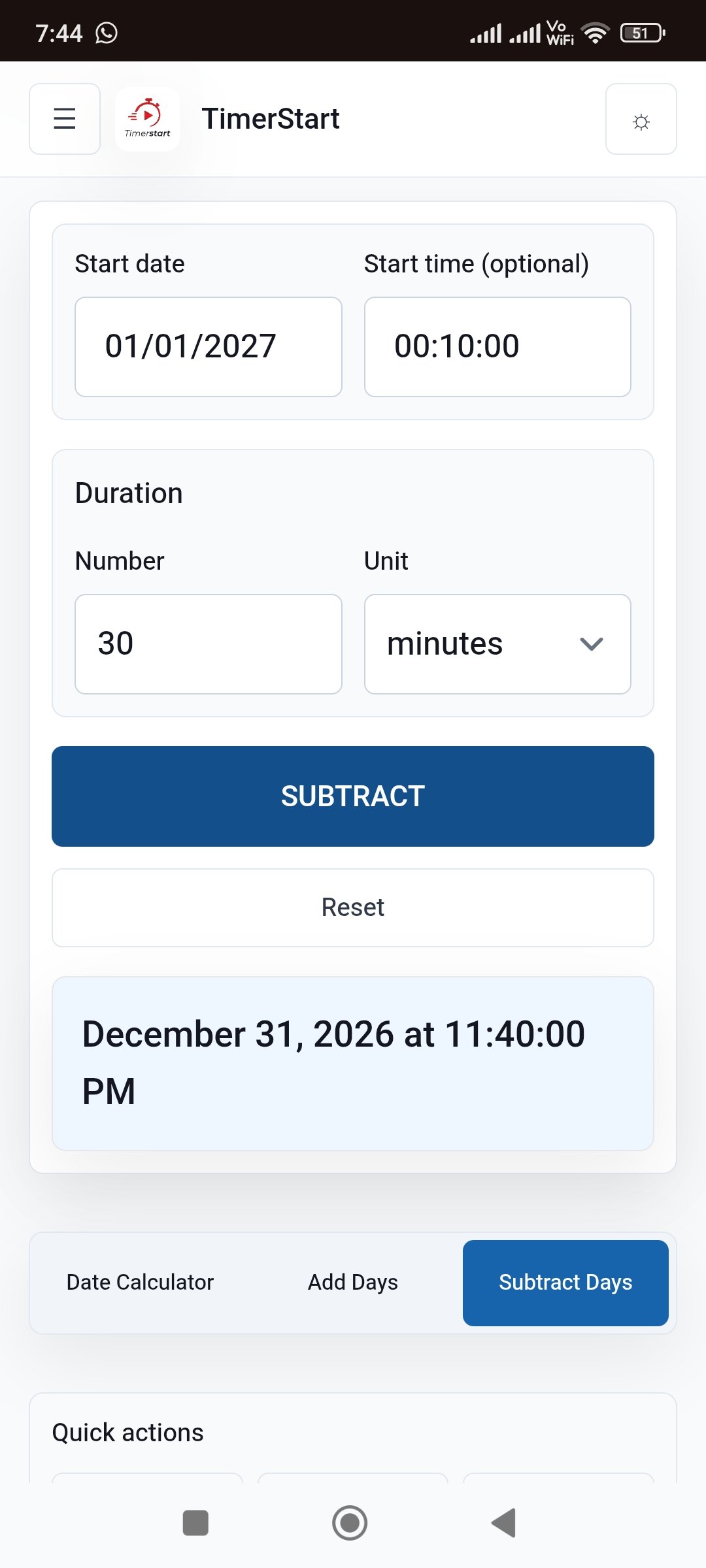
- January 1, 2027 at 12:10 AM - 30 minutes = December 31, 2026 at 11:40 PM
How to Subtract Seconds From a Date and Time
If the seconds being subtracted exceed the starting second value, the calculation borrows a minute, and the result can still shift the hour or date. This precision is useful for reconstructing timestamps or checking exact earlier moments.
- June 15 at 10:30:20 AM - 45 seconds = June 15 at 10:29:35 AM
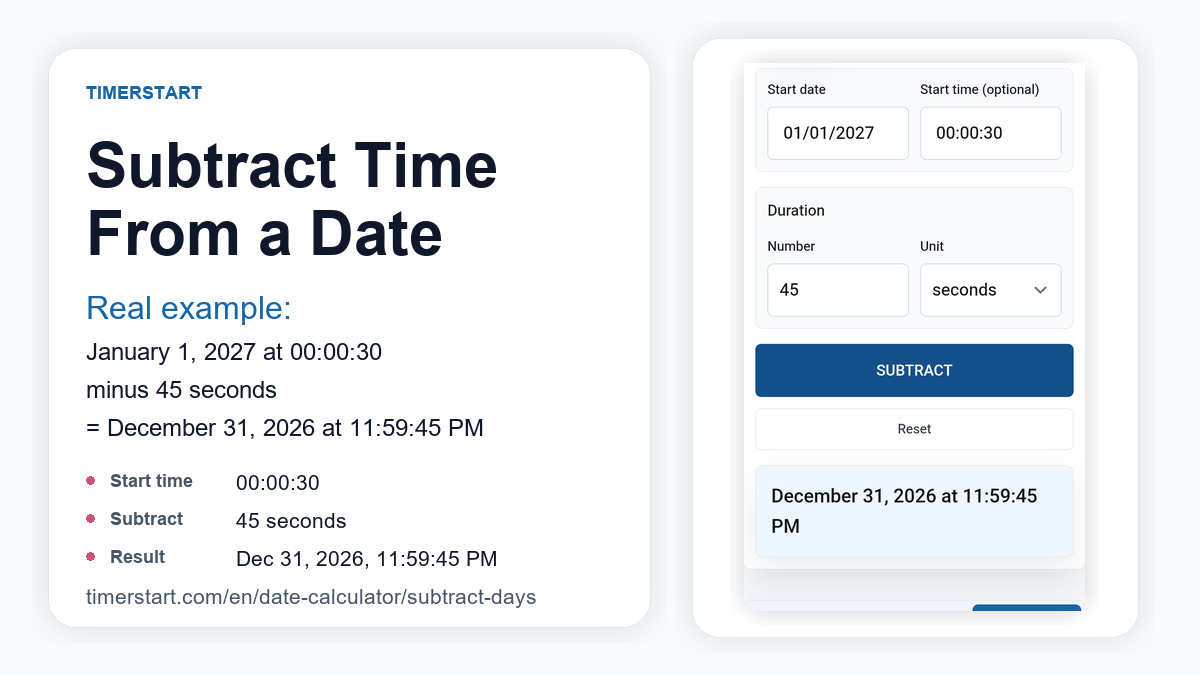
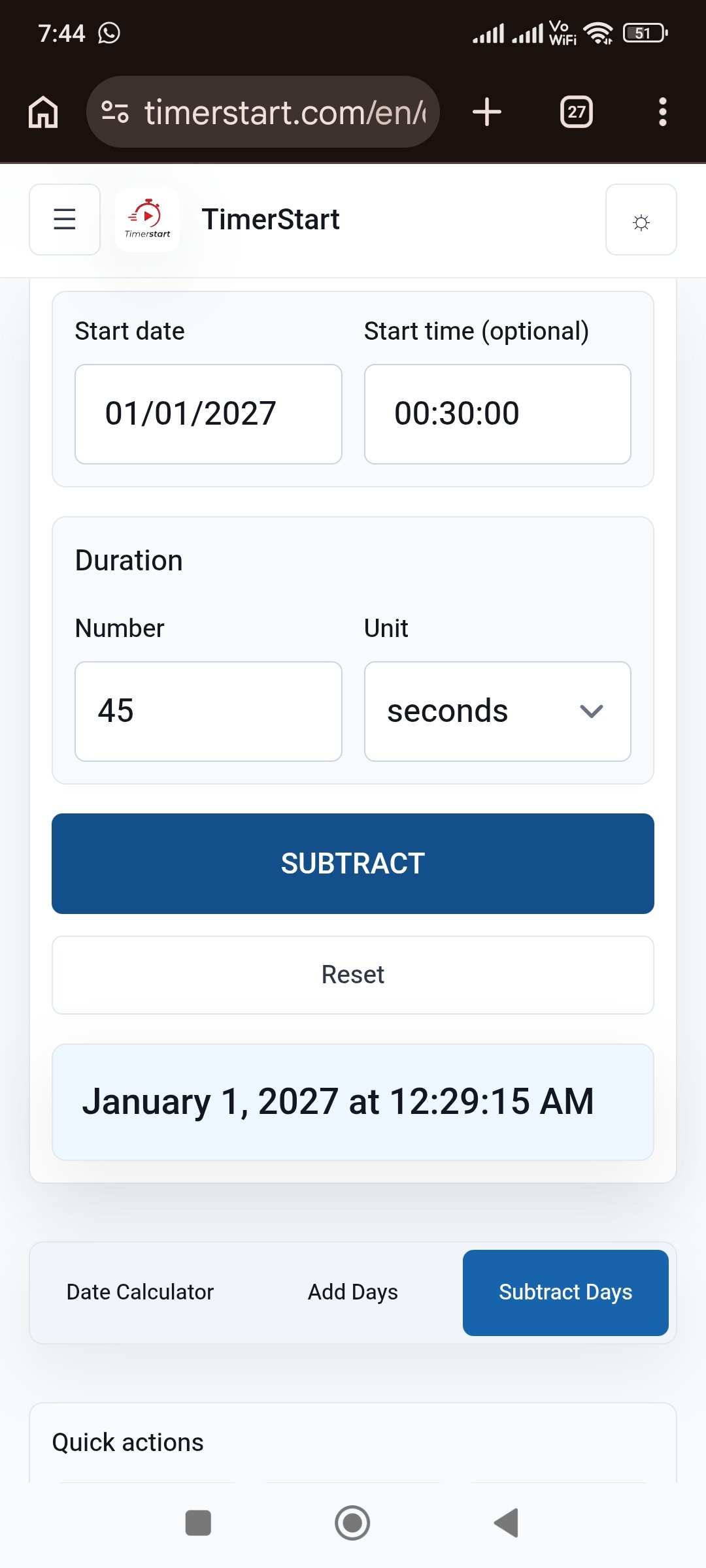
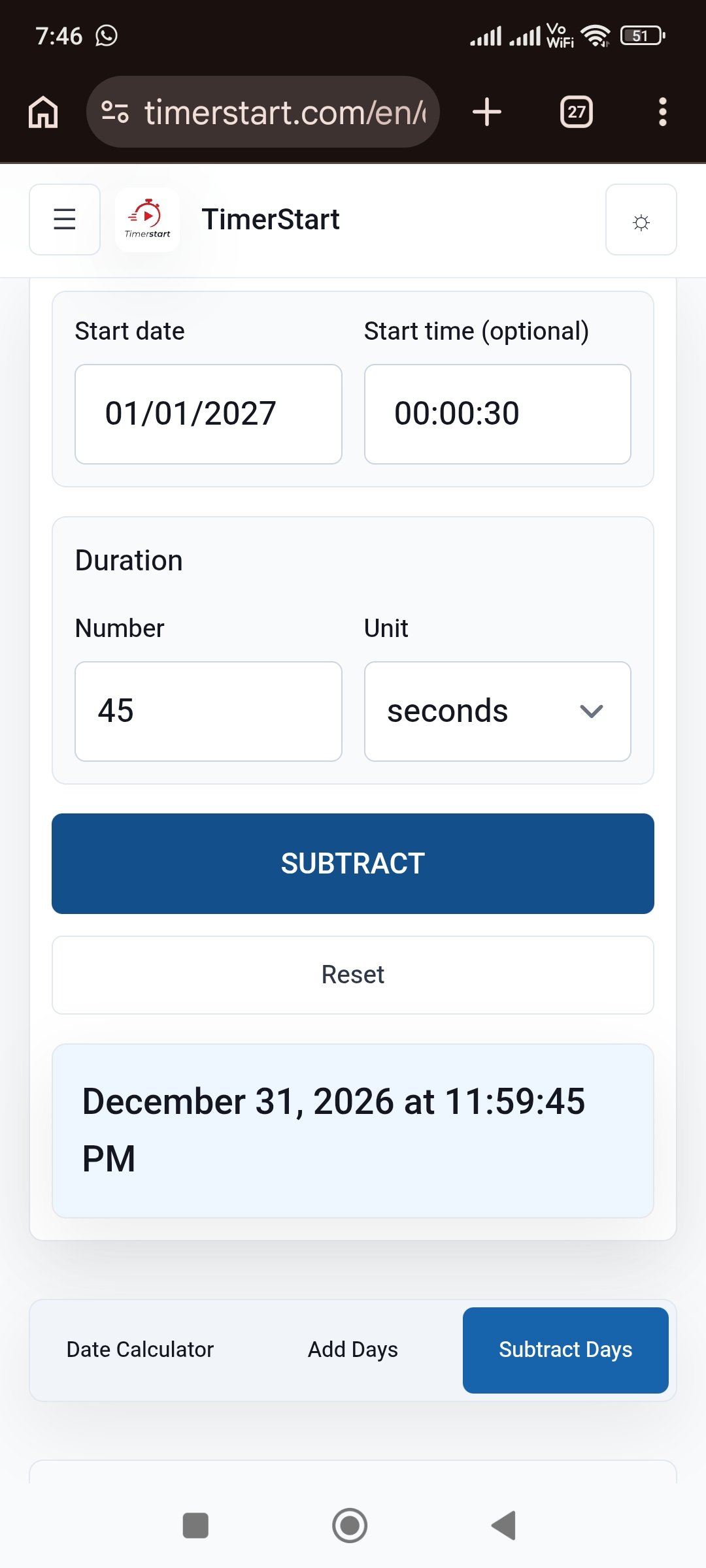
- January 1, 2027 at 12:00:30 AM - 45 seconds = December 31, 2026 at 11:59:45 PM
Subtracting Seconds Near a Boundary
Swipe or scroll to view seconds examples that can change the minute, hour, or date.
What Happens When the Calculation Crosses Midnight Backward?
Moving backward past 12:00 AM enters the previous calendar date. 12:15 AM minus 30 minutes isn't a negative clock time - it's 11:45 PM on the previous day. The month or year can shift too, so always check the whole result.
- Ordinary: June 15 at 12:15 AM - 30 minutes = June 14 at 11:45 PM
- Month boundary: March 1, 2027 at 12:30 AM - 2 hours = February 28, 2027 at 10:30 PM
- Year boundary: January 1, 2027 at 12:00:30 AM - 45 seconds = December 31, 2026 at 11:59:45 PM
How Borrowing Minutes and Seconds Works
If the seconds to subtract exceed the current second value, borrow a minute. If the minutes to subtract exceed the current minute value, borrow an hour. If the calculation moves before midnight, the date shifts to the previous day.
If TimerStart supports combining units in one calculation, subtracting 1 hour, 50 minutes, and 40 seconds from July 20 at 4:01:00 PM would produce July 20 at 2:10:20 PM. If it only accepts one unit at a time, run each subtraction separately.
12-Hour Time vs 24-Hour Time
12-hour format uses AM and PM. 12:00 AM is midnight, and 12:00 PM is noon. 24-hour format runs 00:00 to 23:59, where 00:00 is midnight and 23:00 is 11:00 PM.
3:00 AM minus 5 hours equals 10:00 PM the previous day, or 03:00 minus 5 hours equals 22:00 in 24-hour format. The most common mistake is entering 8:00 AM when the reference time was actually 8:00 PM, so double-check which one you meant.
Subtracting Time Across Days, Months, and Years
Short time subtractions can still cross calendar boundaries when the starting time is close to midnight.
- Day boundary: June 15 at 1:15 AM - 3 hours = June 14 at 10:15 PM
- Month boundary (non-leap year): March 1, 2027 at 12:30 AM - 2 hours = February 28, 2027 at 10:30 PM
- Leap year: February 29, 2028 at 1:30 AM - 2 hours = February 28, 2028 at 11:30 PM
- Year boundary: January 1, 2027 at 12:10 AM - 30 minutes = December 31, 2026 at 11:40 PM
Is Subtracting 24 Hours the Same as Subtracting One Day?
For most ordinary calculations, yes. But a calendar day means moving to the corresponding local date, while 24 hours is a fixed elapsed duration - and these can diverge around a daylight-saving clock change, where a local day may not contain exactly 24 elapsed hours. Away from a clock change, the two usually line up; if your calculation crosses a daylight-saving transition or time-zone boundary, verify the result separately.
Local Time, Time Zones, and Daylight Saving Time
A browser-based calculator typically works from your device's local date and time - that's not a time-zone conversion. Subtracting time in one location doesn't show the corresponding time elsewhere, and daylight-saving transitions can change the local UTC offset. For international records or anything tied to another time zone, use a dedicated time-zone-aware calculator instead.
Practical Uses
Hours: finding when a shift began, calculating a preparation time, reviewing a historical timestamp. An eight-hour shift ending June 15 at 5:00 PM started June 15 at 9:00 AM.
Minutes: finding when a meeting began, calculating a preparation buffer, checking a travel connection window.
Seconds: event timestamps, media production, technical testing.
TimerStart is a general-purpose calculator, not a certified tool for medical, industrial, scientific, or professional sports timing.
Common Mistakes When Subtracting Time
Input mistakes
- Entering the wrong starting date or time
- Mixing up AM and PM, or treating 12:00 AM as noon
- Using an ambiguous format like 03/01/2027 instead of March 1, 2027
Borrowing mistakes
- Forgetting to borrow an hour when subtracting minutes, or a minute when subtracting seconds
- Checking only the resulting time and missing that the date moved back
- Assuming 24 hours always equals one calendar day, even around a clock change
Context mistakes
- Confusing time subtraction with time-zone conversion
- Entering a negative value when the tool already performs subtraction
- Relying on an unverified result for a genuinely critical deadline
Before You Subtract Time, Check These
Inputs
- Reference date
- Reference time
- Duration number
- Unit: hours, minutes, or seconds
Context
- AM/PM or 24-hour format
- Possible previous day, month, or year rollback
- Local time zone and daylight-saving caveats
- Whether the result is high-stakes and needs verification
Use TimerStart to Calculate an Earlier Date and Time
Start with your reference date and time, subtract the hours, minutes, or seconds you need in the Subtract Days Calculator, and check both the resulting date and time - including AM or PM.
Verify separately for anything crossing a time zone or daylight-saving transition. Moving forward instead? Use the Add Days Calculator. For whole-day subtraction, see how to subtract days from a date or 30, 60, or 90 days ago.
FAQs About Subtracting Time From a Date
These answers cover common questions about subtracting hours, minutes, or seconds from a starting date and time.
How do I subtract hours from a date?
Subtract the hours from your starting date and time, then check both the earlier date and the earlier time because the date may move backward.
How do I subtract minutes or seconds?
Subtract the value from the starting time. If it exceeds the current minute or second value, the calculation borrows from the next unit up, which can carry into the date.
Can I subtract time from a date other than today?
Yes. Choose any starting date first, then subtract the hours, minutes, or seconds you need.
What happens when the calculation crosses midnight?
The result moves to the previous date, and the month or year may change too.
Is subtracting 24 hours the same as subtracting one day?
Usually, except around daylight-saving transitions or time-zone changes, where a local calendar day may not equal exactly 24 elapsed hours.
How do I subtract time using AM and PM?
Confirm morning or evening before subtracting. 12:00 AM is midnight and 12:00 PM is noon.
Can I subtract hours, minutes, and seconds together?
It depends on the tool interface. If a calculator only accepts one unit at a time, subtract them one step at a time and review the combined result.
Does daylight saving affect the result?
It can near a clock-change date, so verify separately if daylight saving or a time-zone change matters.
Does TimerStart convert between time zones?
No. TimerStart works from local date and time values; it is not a named time-zone conversion tool.
Can I enter a negative number?
No. The Subtract Days Calculator already moves backward; use the Add Days Calculator to move forward instead.
Can I use the result for an official deadline?
Use it as a starting point, but confirm anything high-stakes with the relevant authority or a qualified professional.
Related Reading
For related date and time guides, see how to add hours, minutes, or seconds to a date and time, how to subtract days from a date, 30, 60, or 90 days ago, what date was 120 or 180 days ago, calculate days between two dates, and calendar days vs business days.